
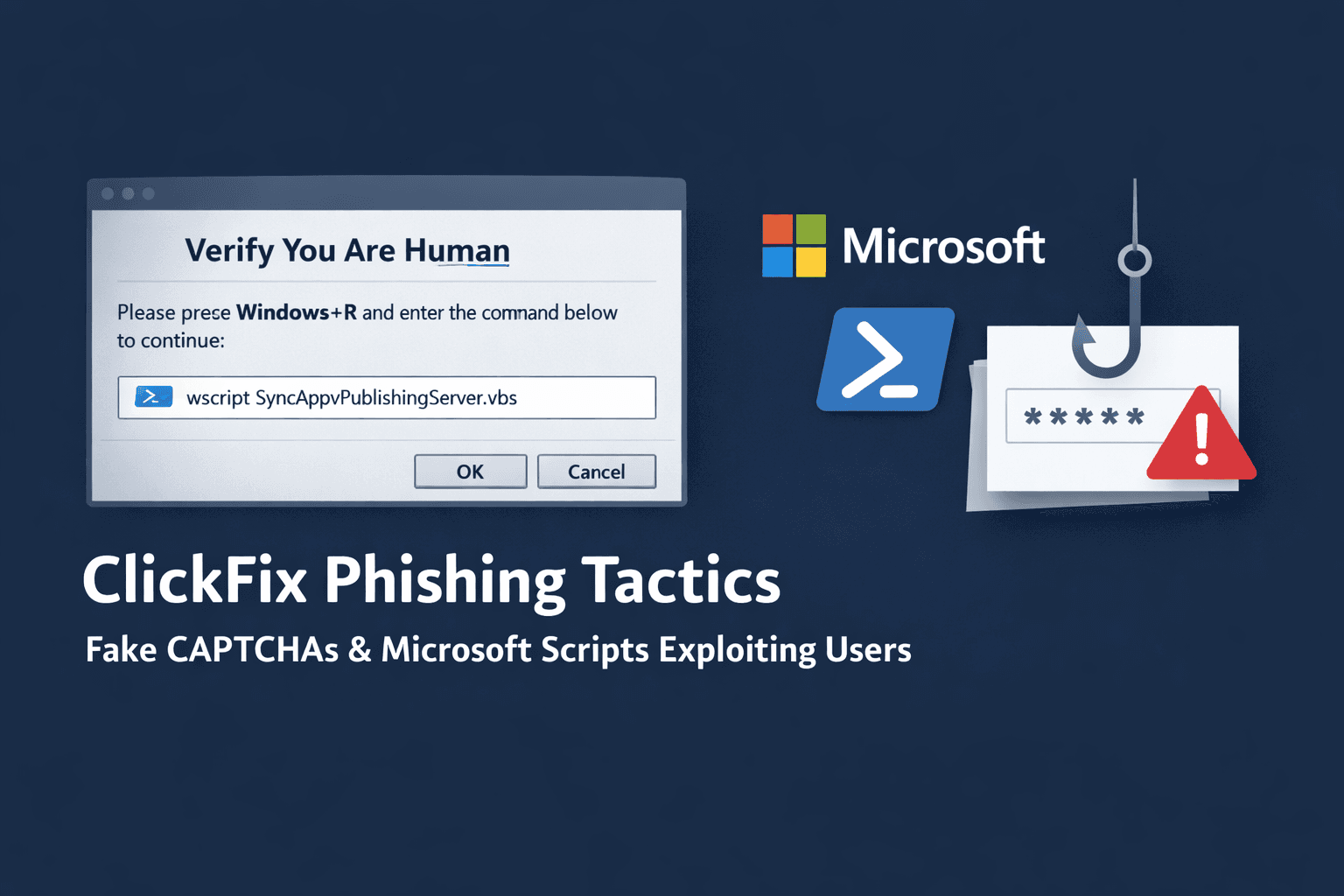
A sophisticated phishing technique is targeting enterprise users with alarming success. ClickFix campaigns now use fake CAPTCHA pages and legitimate Microsoft scripts to deliver information-stealing malware, bypassing traditional security controls through social engineering and trusted system tools.
Recent data shows ClickFix tactics appear in 47% of observed phishing attacks (Microsoft, 2024), representing a dramatic shift in threat actor methodology. Unlike conventional phishing that relies on malicious attachments or links, ClickFix manipulates users into executing commands manually—transforming the victim into an unwitting accomplice in their own compromise.
This article examines the technical mechanics behind ClickFix campaigns, analyzes emerging variants targeting different user groups, and provides actionable defense strategies for security teams facing this evolving threat landscape.
Understanding the ClickFix Attack Chain
ClickFix represents a concerning evolution in social engineering that exploits user trust in familiar web elements. The attack sequence demonstrates sophisticated understanding of both human behavior and Windows system architecture.
The Deceptive Entry Point
Attackers present victims with fake CAPTCHA verification pages that appear on compromised websites or social media platforms. These pages display convincing error messages claiming the user must "verify" their identity or "fix" a technical issue. The CAPTCHA prompt instructs users to press Windows+R and paste a provided command.
This social engineering tactic succeeds because users have been conditioned to trust CAPTCHA challenges as legitimate security measures. The fake prompts typically include urgent language about account verification, security updates, or content access—creating pressure to comply quickly without scrutiny.
Living-Off-the-Land Binary Exploitation
The malicious command leverages SyncAppvPublishingServer.vbs, a signed Visual Basic Script component of Microsoft Application Virtualization (App-V). This represents a living-off-the-land (LotL) technique that abuses legitimate system tools rather than introducing obviously malicious files.
When executed via wscript.exe, the script appears as trusted Microsoft activity in security logs. This bypasses application whitelisting and evades detection systems configured to flag unsigned or suspicious executables. The technique specifically targets Enterprise and Education Windows editions where App-V is typically present; attempts on Home or Pro versions fail, confirming the enterprise focus.
The script acts as a proxy execution mechanism, downloading and running obfuscated PowerShell payloads while maintaining the appearance of legitimate administrative activity.
Dynamic Infrastructure and Evasion
The loader implements multiple anti-analysis techniques before deploying the final payload. It validates execution environment characteristics to avoid sandbox detonation, checking for virtual machine indicators and security research tooling.
For command-and-control infrastructure, attackers use unconventional dead-drop resolvers. Configuration data hides in Google Calendar ICS files, allowing dynamic rotation of malicious domains without hardcoding addresses in the malware. This abuses trusted services that security teams rarely block.
Subsequent payload stages retrieve encrypted PowerShell scripts hidden in PNG image files hosted on platforms like gcdnb.pbrd[.]co. The WinINet library fetches these files, which are then decompressed and executed entirely in memory—leaving minimal forensic artifacts on disk.
Table: ClickFix Attack Sequence
| Stage | Component | Purpose | Evasion Technique |
|---|---|---|---|
| Initial Access | Fake CAPTCHA page | Social engineering | User-initiated execution |
| Execution | SyncAppvPublishingServer.vbs | Command proxy | Signed Microsoft binary |
| Defense Evasion | Environment validation | Anti-sandbox | VM detection checks |
| C2 Infrastructure | Google Calendar ICS | Config retrieval | Trusted service abuse |
| Payload Delivery | PNG steganography | Malware download | Encrypted, in-memory execution |
ClickFix Variants and Campaign Evolution
Threat actors have rapidly diversified ClickFix methodology, creating specialized variants for different target profiles and attack scenarios. Understanding these variants helps security teams recognize the full scope of this threat.
FileFix and Browser-Based Variants
The FileFix variant emerged targeting users attempting to access documents or media files. Victims encounter error messages claiming file corruption or compatibility issues, with instructions to "fix" the problem using system commands. This variant particularly affects users accessing shared documents from cloud storage platforms.
JackFix and CrashFix variants simulate application crashes or system errors. These prompts appear more technical, targeting IT-savvy users who might dismiss obvious phishing but respond to seemingly legitimate troubleshooting instructions.
GlitchFix and Traffic Distribution Systems
GlitchFix represents the newest evolution, distributed through ErrTraffic—a traffic distribution system (TDS) that injects malicious code into compromised websites. When users visit affected sites, they experience visual glitches, freezing, or error messages prompting remediation steps.
The TDS infrastructure provides attackers with geo-targeting capabilities, analytics, and automated payload rotation. Notably, ErrTraffic blocks connections from CIS countries, suggesting attribution or tactical considerations regarding law enforcement jurisdiction.
Hunt.io researchers identified 115 malicious pages and 8 data exfiltration endpoints associated with GlitchFix campaigns since September 2024, indicating significant infrastructure investment.
Social Media and Creator-Focused Attacks
Specialized campaigns target social media content creators with fake verification badge offers or account security alerts. These attacks steal authentication tokens, enabling account takeovers that can affect thousands of followers.
The stolen tokens provide persistent access without requiring password knowledge, and compromised creator accounts become distribution points for further phishing campaigns—creating a self-perpetuating attack cycle.
Table: ClickFix Variant Comparison
| Variant | Target Scenario | Primary Lure | Typical Payload |
|---|---|---|---|
| ClickFix (Original) | General users | CAPTCHA verification | Amatera Stealer |
| FileFix | Document access | File corruption error | Information stealers |
| JackFix | Software users | Application crash | RATs, stealers |
| GlitchFix | Website visitors | Browser/site error | Lumma Stealer |
| Creator-targeted | Social media | Verification badge | Token theft |
ClearFake Integration and Infrastructure Abuse
The integration of ClickFix techniques into established phishing campaigns demonstrates how threat actors rapidly adopt successful innovations. The ClearFake campaign represents a particularly sophisticated implementation.
EtherHiding and Blockchain Abuse
ClearFake operators integrated ClickFix methodology in May 2024, combining it with EtherHiding—a technique that stores malicious scripts in Binance Smart Chain smart contracts. This blockchain-based infrastructure provides resilient, censorship-resistant payload hosting that traditional takedown procedures cannot disrupt.
The smart contracts contain encoded JavaScript that generates fake CAPTCHA pages when accessed. This approach eliminates reliance on compromised web servers for payload hosting, though attackers still need to inject initial loaders into legitimate websites.
CDN Exploitation and Scale
Attackers leverage jsDelivr and similar content delivery networks to distribute payloads at scale. These CDNs cache and serve files globally with high reliability, and their legitimate reputation causes security tools to whitelist their domains.
Expel researchers report ClearFake campaigns infected approximately 147,521 systems between August 2024 and January 2025, predominantly deploying Lumma Stealer—an information-stealing malware targeting credentials, cryptocurrency wallets, and session tokens.
The campaign's scale demonstrates how combining proven social engineering (ClickFix) with resilient infrastructure (blockchain + CDN) enables sustained operations despite security community awareness.
Important: The abuse of blockchain and CDN services represents a broader "Living Off the Web" trend where attackers exploit trusted internet infrastructure rather than maintaining obviously malicious servers.
Historical Context and Attribution
ClickFix techniques build upon years of LotL research and APT operations, with roots in advanced persistent threat actor tradecraft.
Early SyncAppvPublishingServer.vbs Abuse
Security researchers first documented malicious use of SyncAppvPublishingServer.vbs in 2022, attributed to two distinct advanced persistent threat groups. DarkHotel, associated with Chinese espionage operations, and BlueNoroff, a North Korean financially-motivated group, independently adopted the technique for PowerShell restriction bypass.
MITRE ATT&CK framework catalogs this as T1216.001 (Signed Script Proxy Execution), noting it circumvents application control policies that trust signed Microsoft components. The technique remained relatively obscure until commoditization through ClickFix builders.
Malware-as-a-Service Commercialization
ClickFix builders now sell on underground forums for $200–$1,500 monthly subscriptions, enabling lower-skill threat actors to deploy sophisticated campaigns. This Malware-as-a-Service (MaaS) model democratizes advanced techniques previously limited to well-resourced groups.
The commercial availability explains ClickFix's rapid proliferation across diverse threat actors. Builders typically include customizable social engineering templates, payload encryption, and automated infrastructure rotation—lowering technical barriers to entry.
Pro Tip: The transition from APT-exclusive techniques to commodity tools follows a predictable pattern. Monitor underground marketplaces for emerging builder offerings, as they often predict next-generation threats before widespread deployment.
Target Profile and Impact Analysis
ClickFix campaigns demonstrate clear targeting preferences that align with attacker monetization strategies and operational goals.
Primary Victim Categories
Financial institutions face persistent ClickFix attacks targeting employee credentials and internal system access. Banking environments with strict application controls paradoxically become vulnerable when attackers bypass these controls through user-initiated execution of signed scripts.
Cryptocurrency users represent high-value targets due to wallet access and trading platform credentials. Information stealers deployed via ClickFix specifically enumerate browser extensions, local wallet files, and exchange session cookies.
Content creators on platforms like YouTube, Twitch, and Instagram encounter specialized variants offering fake verification or security alerts. Compromised accounts enable follow-on attacks against their audiences and potential ransom demands for account restoration.
Attack Outcomes and Downstream Risk
Initial compromise typically delivers information-stealing malware like Amatera or Lumma Stealer, harvesting credentials, session tokens, cryptocurrency wallets, and browser data. However, the established access often serves as a precursor to more damaging attacks.
Security teams observe ClickFix infections preceding ransomware deployment, lateral movement to domain controllers, and business email compromise operations. The initial stealer provides reconnaissance data and credentials that enable escalation to high-impact attacks.
Table: Impact by Sector
| Sector | Primary Target | Common Payload | Downstream Risk |
|---|---|---|---|
| Financial Services | Employee credentials | Amatera Stealer | Wire fraud, account takeover |
| Cryptocurrency | Wallet access | Lumma Stealer | Asset theft, exchange compromise |
| Content Creation | Session tokens | Token stealers | Audience phishing, reputation damage |
| Enterprise | Domain access | Multi-stage RATs | Ransomware, data exfiltration |
Defense Strategies and Detection Approaches
Defending against ClickFix requires addressing both the human and technical dimensions of the attack. Traditional perimeter security provides limited protection against user-initiated execution of signed binaries.
Technical Controls and Monitoring
Disable VBScript execution where operationally feasible, particularly on systems not requiring Application Virtualization. Microsoft provides Group Policy settings to disable wscript.exe and cscript.exe across enterprise environments, though this may impact legitimate administrative scripts.
Implement behavioral detection rules in endpoint detection and response (EDR) platforms focusing on SyncAppvPublishingServer.vbs execution patterns. Legitimate App-V usage occurs during initial application setup, not ad-hoc user sessions—anomalous invocation should trigger investigation.
Monitor PowerShell execution following VBScript activity, particularly processes spawned by wscript.exe. Baseline normal PowerShell usage patterns and alert on statistical deviations in command length, encoding, or network connections.
Network-Level Indicators
Block or monitor HTTP requests to Google Calendar ICS files from endpoints, as legitimate business use cases rarely involve direct ICS fetches outside calendar applications. This disrupts the dead-drop resolver technique.
Inspect traffic to image hosting platforms like pbrd[.]co for anomalous patterns—large file downloads to non-browser processes or repeated requests from the same endpoint. Consider implementing SSL/TLS inspection for these platforms if privacy policies permit.
Identify blockchain RPC queries from endpoints, particularly connections to Binance Smart Chain nodes. Legitimate business operations rarely require direct blockchain interaction from standard workstations.
User Awareness and Procedural Defenses
Train users to recognize ClickFix social engineering patterns, emphasizing that legitimate CAPTCHA challenges never request command-line execution. Provide specific examples of fake prompts and clear reporting procedures.
Establish security awareness campaigns explaining why copying commands from web pages into Run dialogs poses extreme risk. Use simulated phishing exercises that mirror ClickFix methodology to reinforce training.
Implement organizational policies prohibiting manual command execution from web-sourced instructions without IT verification. Create streamlined help desk processes for users encountering suspicious prompts.
Table: Defense Layers
| Control Type | Implementation | Effectiveness | Operational Impact |
|---|---|---|---|
| VBScript Disable | Group Policy | High | Medium (breaks legacy scripts) |
| EDR Behavioral Rules | Process monitoring | High | Low |
| Network Filtering | Proxy/firewall | Medium | Low |
| User Training | Security awareness | Medium | Minimal |
| Command Policies | Procedural controls | Medium | Medium (workflow changes) |
Key Takeaways
- ClickFix exploits user trust in CAPTCHA challenges to initiate malicious command execution, appearing in 47% of recent phishing campaigns
- Attacks leverage signed Microsoft App-V scripts to bypass application controls, targeting Enterprise/Education Windows editions specifically
- Variants include FileFix, GlitchFix, and creator-focused campaigns, each tailored to specific victim profiles and scenarios
- Infrastructure abuses blockchain smart contracts, CDN services, and Google Calendar for resilient, hard-to-disrupt operations
- Defense requires layered controls combining VBScript restrictions, behavioral monitoring, network filtering, and comprehensive user training
Conclusion
ClickFix represents a fundamental shift in phishing methodology, replacing malicious file delivery with user-manipulated execution of legitimate tools. The technique's success stems from exploiting the trusted relationship between users and familiar web elements while leveraging signed system binaries that security controls inherently trust.
The rapid evolution from APT tradecraft to commercial MaaS offerings demonstrates how quickly sophisticated techniques proliferate across the threat landscape. Organizations cannot rely solely on technical controls when attacks fundamentally depend on human action preceded by social engineering.
Effective defense requires security teams to address this human dimension through training while implementing technical controls that detect anomalous use of living-off-the-land binaries. As threat actors continue innovating with trusted service abuse and evasive infrastructure, defenders must maintain awareness of emerging variants and adapt detection strategies accordingly.
Frequently Asked Questions
Q: How can I tell if a CAPTCHA challenge is legitimate or a ClickFix attack?
A: Legitimate CAPTCHA challenges never request that you open system utilities like the Run dialog or paste commands. Real CAPTCHAs involve clicking images, typing distorted text, or checkbox verification entirely within the browser. Any "verification" requesting Windows+R execution is malicious.
Q: Why do traditional antivirus solutions fail to detect ClickFix attacks?
A: ClickFix abuses SyncAppvPublishingServer.vbs, a legitimate signed Microsoft component that antivirus software trusts by default. The attack relies on user-initiated execution rather than automatic malware installation, and payloads often run entirely in memory without writing suspicious files to disk that signature-based detection could identify.
Q: Can ClickFix attacks affect Mac or Linux systems?
A: The current ClickFix variants specifically target Windows systems using App-V components. However, the social engineering methodology could be adapted for other operating systems using different trusted binaries. Mac users face similar "paste this Terminal command" scams, though these haven't reached ClickFix's sophistication level.
Q: What should I do if I've already executed a ClickFix command?
A: Immediately disconnect from the network, notify your IT security team, and preserve the system for forensic analysis if possible. Change passwords from a clean device, enable multi-factor authentication on all accounts, and monitor for unauthorized access. Assume credential compromise until forensic analysis confirms the payload type and scope.
Q: How effective are browser extensions that claim to block ClickFix attacks?
A: Browser extensions can help detect some fake CAPTCHA pages but cannot prevent user-initiated command execution once a victim leaves the browser environment. The critical vulnerability occurs when users manually paste commands into system utilities—no browser extension protects against that action. Focus on user awareness and endpoint detection rather than relying on browser-based protection.

Enjoyed this article?
Subscribe for more cybersecurity insights.