
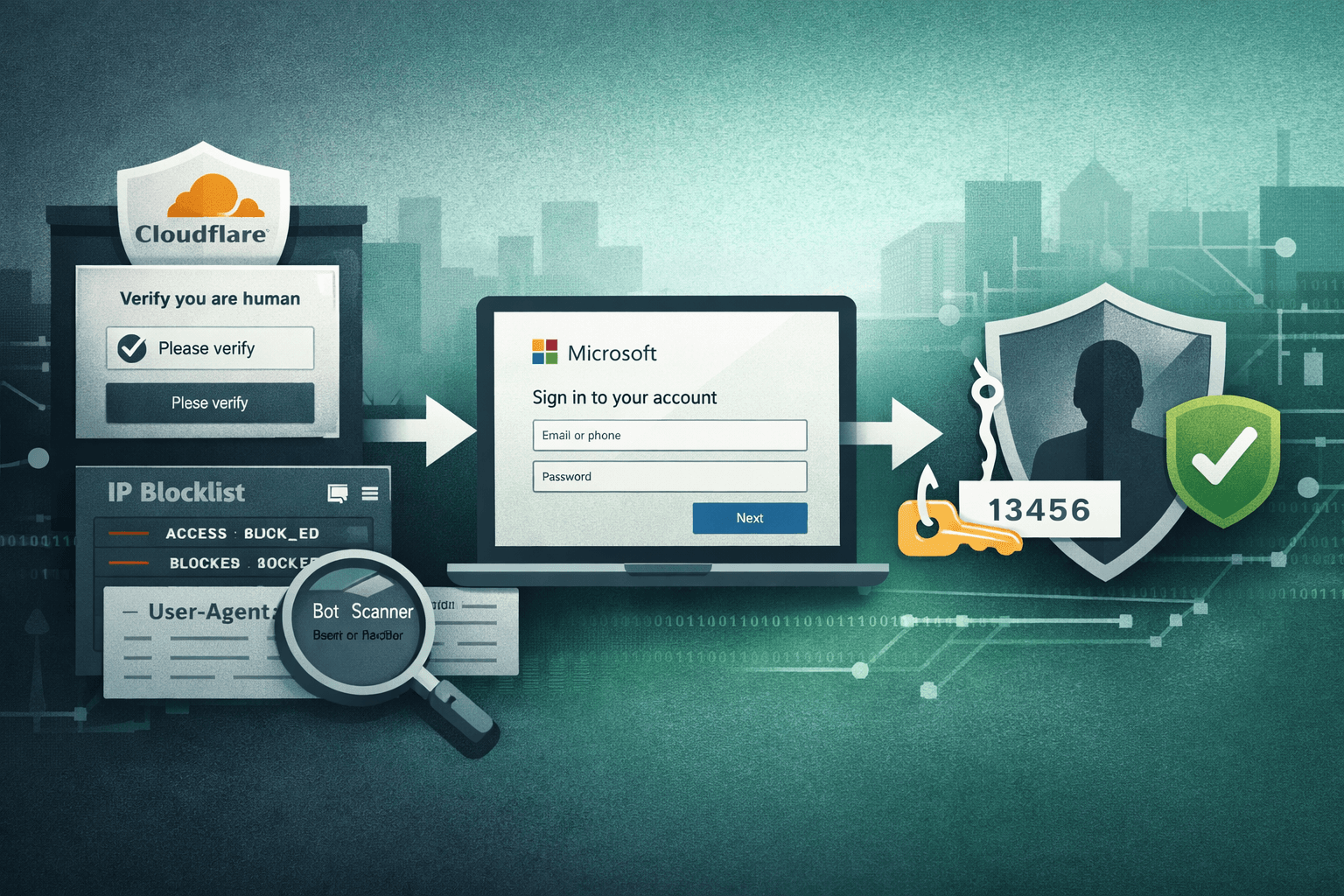
A sophisticated phishing campaign is actively targeting Microsoft 365 users by turning one of the internet's most trusted security platforms into a shield for credential theft. Researchers have uncovered an operation that abuses Cloudflare's own anti-bot stack — including Turnstile, IP blocklisting, and user-agent filtering — to hide malicious infrastructure from scanners and security vendors. The result is a phishing chain that looks legitimate at every layer, defeats traditional domain and IP reputation checks, and delivers victims directly to convincing M365 login clones.
This attack isn't just another phishing kit. It represents a growing and dangerous trend: adversaries weaponizing trusted CDN and security infrastructure to gain persistence and evade detection. If your organization depends on Microsoft 365 — and most do — your identity team, SOC analysts, and threat hunters need to understand exactly how this works.
This article breaks down the attack chain, explains the evasion mechanics, identifies hunting opportunities, and outlines concrete defensive steps your team can take today.
How Attackers Abuse Cloudflare to Hide Phishing Infrastructure
At its core, this campaign exploits the trust organizations place in Cloudflare. Because Cloudflare sits in front of millions of legitimate sites and provides genuine security services, its infrastructure is inherently trusted by email gateways, reputation engines, and sandboxing tools.
The Evasion Stack
Attackers configure their phishing domains behind Cloudflare's reverse proxy, then layer three specific evasion controls to block automated analysis:
- Cloudflare Turnstile: A human verification challenge that presents a CAPTCHA-like gate to visitors. Automated scanners and headless browsers fail or are deprioritized, meaning the malicious landing page is simply never reached during automated analysis.
- IP-based blocklisting: Known IP ranges belonging to security vendors, threat intelligence crawlers, and researchers are explicitly blocked. When these sources probe the domain, they receive benign content or a dead end.
- User-agent filtering: Requests from known scanner and bot user-agent strings are rejected at the edge. Only requests that convincingly resemble real browser traffic from end users proceed to the credential harvest page.
This layered approach means that when an automated security tool probes the suspicious domain, it sees nothing — a clean response, a redirect, or an error. The malicious page is held in reserve exclusively for real human victims who pass all three checks.
Why Traditional Defenses Fail
Standard phishing detection relies on domain reputation scoring, link scanning via automated crawlers, sandboxed URL detonation, and IP blocklist lookups. Each of these fails here for the same reason: the detection infrastructure cannot reach the malicious content. Cloudflare-proxied domains inherit Cloudflare's reputation. IP lookups return Cloudflare's ranges — not the attacker's origin server. CAPTCHA gates stop headless browser detonation. The phishing chain is, from the detection system's perspective, completely invisible.
Table: How Each Evasion Technique Defeats a Common Detection Method
| Evasion Layer | Detection Method Defeated | Why It Fails |
|---|---|---|
| Cloudflare Turnstile | Automated URL sandbox | Headless browser fails CAPTCHA, never loads payload |
| IP allowlisting | IP reputation lookup | Only CF IP ranges visible; attacker origin hidden |
| User-agent filtering | Crawler-based link scanning | Scanner UA strings are blocked at the edge |
| CDN hosting | Domain reputation scoring | CF domains carry inherent trust ratings |
| CAPTCHA gate | Phishing kit fingerprinting | Scanners see challenge page, not the clone |
The Credential Harvest Chain: From Lure to Account Takeover
Once a real user passes Cloudflare's checks, the attack proceeds rapidly through a multi-stage harvest designed to capture not just passwords, but active session tokens and MFA codes.
Stage One: The M365 Login Clone
Victims who pass the evasion gate land on a pixel-perfect replica of the Microsoft 365 sign-in page. These clones typically replicate Microsoft's current branding, domain styling, and error messages. When the victim enters their username and password, the credentials are captured and forwarded to attacker-controlled infrastructure in real time — often while simultaneously proxying the legitimate M365 authentication to avoid raising immediate suspicion.
Stage Two: Real-Time MFA Capture
After credential entry, the phishing kit serves a convincing MFA prompt — matching whatever second-factor method the victim's organization uses. This is the critical escalation. The attacker's backend relays the captured credentials to the real Microsoft authentication endpoint, receives a legitimate MFA challenge, and then presents that exact challenge to the victim. When the victim enters their MFA code, it is captured and immediately used to complete authentication against the real Microsoft infrastructure.
Important: This real-time relay technique, often called an Adversary-in-the-Middle (AiTM) attack, means MFA alone is no longer a guaranteed stop against credential theft. Authentication tokens can be stolen and reused even when users complete MFA correctly.
The result is full account takeover — valid session cookies that grant persistent access to email, SharePoint, Teams, and connected applications, without triggering further authentication challenges.
Table: Attack Stage Summary and Impact
| Stage | Attacker Action | Victim Sees | Data Stolen |
|---|---|---|---|
| 1 – Lure | Sends phishing email with M365 link | Legitimate-looking email | None |
| 2 – Evasion | Turnstile + IP/UA filters active | Seamless page load | None |
| 3 – Clone login | Fake M365 sign-in page served | Familiar login UI | Username + password |
| 4 – AiTM relay | Relays creds to real Microsoft | MFA prompt appears | MFA code / session token |
| 5 – Takeover | Uses captured token | Normal M365 session | Full account access |
Hunting the Infrastructure: The Shared Sitekey Indicator
One critical operational security failure by the threat actors behind this campaign creates a direct hunting opportunity for defenders and threat intelligence teams.
What the Shared Sitekey Reveals
Cloudflare Turnstile issues each site owner a unique sitekey — a public identifier embedded in the HTML of pages that use the human verification widget. Researchers discovered that phishing domains in this campaign share a static, common Turnstile sitekey across multiple malicious sites. This is a significant OPSEC failure. Rather than generating a unique sitekey per domain, the attackers reused the same key across their infrastructure.
This shared identifier functions as a pivot indicator for threat hunters. Any domain serving the known malicious Turnstile sitekey in its page source is likely part of the same campaign infrastructure.
Hunting Techniques
Defenders and threat hunters can operationalize this indicator in several ways:
- Search passive DNS and internet scan data (Shodan, Censys, Fofa) for the specific sitekey string in HTML source
- Query your proxy or web inspection logs for the sitekey appearing in outbound traffic
- Ingest the sitekey as a custom indicator in your SIEM or threat intelligence platform
- Monitor Certificate Transparency logs for newly registered domains that subsequently appear serving the sitekey
Pro Tip: Even after the initial phishing wave is disrupted, the sitekey can continue generating new infrastructure detections for weeks. Treat it as a persistent indicator, not a one-time IOC.
Defensive Controls for Microsoft 365 Environments
Understanding the attack chain points directly toward targeted defensive controls. No single control is sufficient; layered defenses aligned to NIST CSF and CIS Controls are required.
Identity and Authentication Hardening
Standard MFA is insufficient against AiTM attacks. Organizations must move to phishing-resistant authentication as a priority:
- Deploy FIDO2/WebAuthn hardware security keys or passkeys for privileged accounts (CIS Control 6)
- Enforce Conditional Access policies in Microsoft Entra ID that require compliant, managed devices
- Enable Microsoft Entra ID Protection to detect anomalous sign-in patterns, including impossible travel and token replay
- Implement Continuous Access Evaluation (CAE) to revoke sessions in near real time when risk signals are detected
- Restrict legacy authentication protocols (IMAP, POP3, SMTP AUTH) that bypass modern MFA — a frequent lateral entry point post-compromise
Table: Authentication Controls vs. AiTM Attack Resistance
| Control | Standard Phishing | AiTM / Token Theft | Implementation Priority |
|---|---|---|---|
| SMS / TOTP MFA | Blocks | Defeated | Migrate away |
| Authenticator app push | Blocks | Defeated | Migrate away |
| FIDO2 / Passkeys | Blocks | Blocks | High |
| Conditional Access + compliant device | Partial | Blocks | High |
| Continuous Access Evaluation | N/A | Mitigates | Medium |
| Number matching MFA | Partial | Partial | Medium |
Email and URL Filtering Enhancements
Because automated scanners fail to reach the payload, traditional URL reputation filtering must be augmented:
- Enable Safe Links time-of-click rewriting in Microsoft Defender for Office 365 — this rewrites and re-evaluates URLs at the moment of click, catching evasion that defeats pre-delivery scanning
- Configure sandboxing to simulate human interaction where supported, helping bypass some CAPTCHA gates
- Block or flag domains newly registered in the past 30 days — attackers register fresh domains to avoid prior reputation signals
- Apply DNS filtering (using Quad9, Cloudflare Gateway, or similar) to block known phishing infrastructure categories
Key Takeaways
- Phishing-resistant MFA is now essential — TOTP and push-based MFA are defeated by AiTM relay attacks; migrate high-value accounts to FIDO2 or passkeys immediately
- Block Cloudflare-hosted domains only where contextually appropriate — do not blanket-block CF ranges, but treat newly registered CF-proxied domains with elevated scrutiny in your filtering policies
- Hunt with the shared Turnstile sitekey — extract the known sitekey from threat intelligence reports and pivot across internet scan data to identify related infrastructure
- Augment automated scanning with time-of-click controls — because evasion defeats pre-delivery analysis, post-delivery defenses like Safe Links become your primary URL inspection layer
- Monitor for token replay and impossible travel — after credential capture, attackers reuse session tokens from unexpected geolocations; anomaly detections in Entra ID Protection catch this pattern
- Review Conditional Access coverage — ensure no authentication paths bypass compliant-device or phishing-resistant MFA requirements, especially for external access and legacy protocols
Conclusion
This campaign illustrates a maturing attacker playbook: don't fight security infrastructure — rent it. By routing phishing operations through Cloudflare, attackers inherit the platform's trust, defeat automated analysis at every layer, and serve credential-harvesting pages exclusively to human victims. The combination of Turnstile gating, IP filtering, and real-time AiTM relay represents a serious escalation beyond commodity phishing kits.
Defenders cannot rely on domain reputation or automated URL scanning alone. The controls that matter now are phishing-resistant authentication, time-of-click URL inspection, Conditional Access policy coverage, and proactive threat hunting using infrastructure indicators like the shared Turnstile sitekey. Start with your authentication posture — identify every account that can authenticate with SMS or TOTP MFA and prioritize migration to FIDO2. Then audit your Conditional Access policies to close any gaps that allow authentication from unmanaged devices or legacy protocols.
Frequently Asked Questions
Q: Does blocking Cloudflare IPs protect against this attack? A: No — and it would cause significant collateral damage to legitimate services. Cloudflare IP ranges serve millions of legitimate websites and APIs. The correct response is to treat newly registered or low-reputation Cloudflare-proxied domains with elevated scrutiny in URL filtering policies rather than blanket-blocking the CDN.
Q: If my users have MFA enabled, are they protected? A: Not fully. This campaign uses an Adversary-in-the-Middle technique that relays credentials and MFA codes to the real Microsoft authentication endpoint in real time, capturing valid session tokens in the process. Protection requires phishing-resistant MFA (FIDO2/passkeys) combined with Conditional Access policies that enforce compliant device state.
Q: How can my threat intelligence team use the shared Turnstile sitekey? A: The sitekey appears as a static string in the HTML source of phishing domains. Search passive DNS datasets, internet scan platforms like Shodan or Censys, and your proxy logs for the specific sitekey value. New domains serving the same key are almost certainly related infrastructure and should be blocked and reported.
Q: What compliance frameworks require phishing-resistant MFA? A: NIST SP 800-63B classifies FIDO2/WebAuthn as AAL3 (the highest assurance level) and recommends it for high-value accounts. CISA's cross-sector cybersecurity performance goals explicitly recommend phishing-resistant MFA. For regulated industries, HIPAA security rule guidance, PCI DSS v4.0 requirements for multi-factor authentication, and SOC 2 trust service criteria all support the adoption of stronger authentication controls.
Q: How quickly can attackers reuse a stolen session token after an AiTM attack? A: Session token replay is effectively instantaneous. Attacker infrastructure is designed to capture tokens and open sessions within seconds of victim authentication. This is why Continuous Access Evaluation and sign-in risk policies in Microsoft Entra ID Protection are important complements — they can revoke sessions and flag anomalous re-use patterns even after the initial token is captured.

Enjoyed this article?
Subscribe for more cybersecurity insights.