
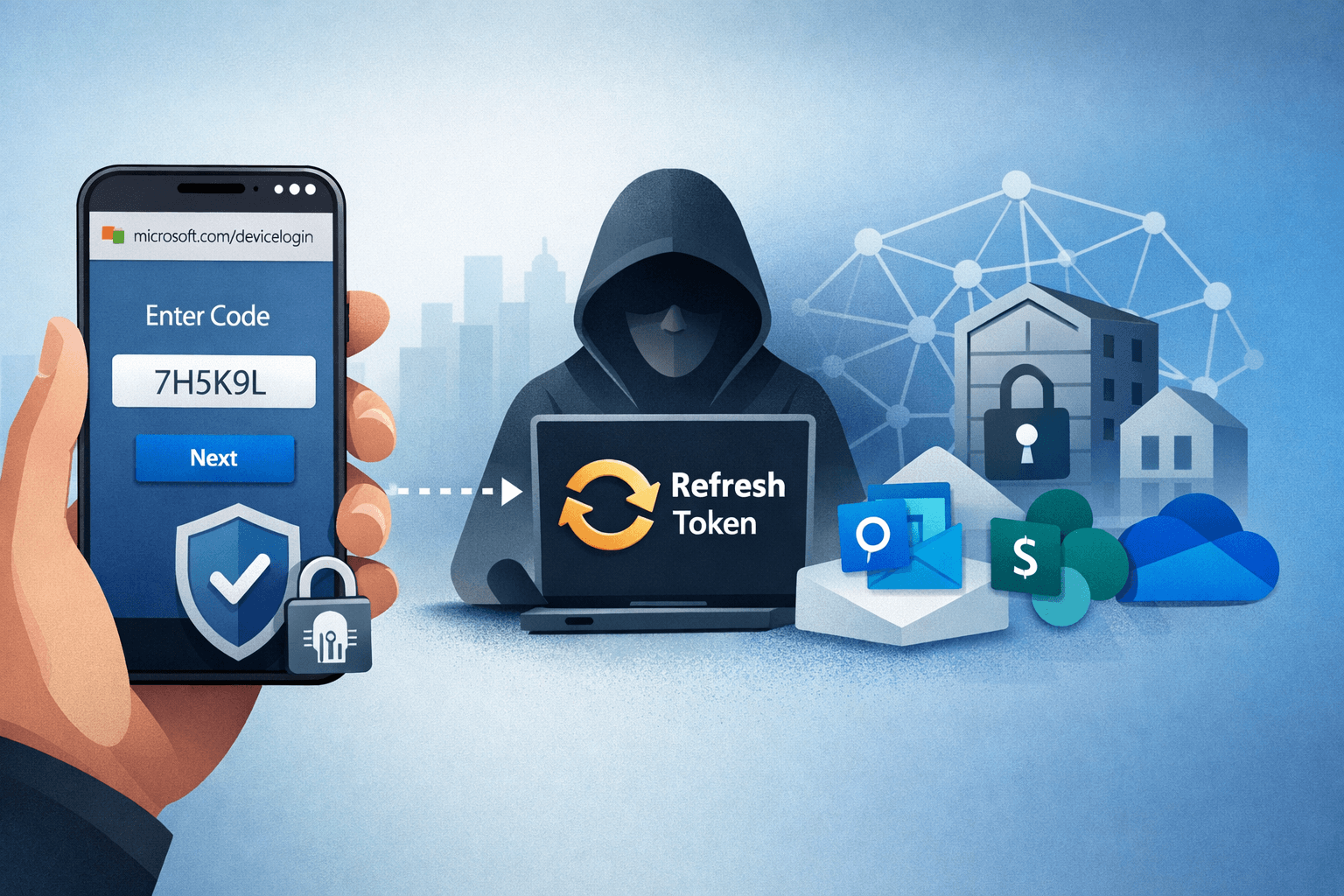
A single phone call. That is all it takes for attackers linked to ShinyHunters to gain persistent access to your Microsoft 365 environment—without triggering a single security alert. In 2024, device code phishing emerged as one of the most technically sophisticated social engineering campaigns targeting enterprise environments. Unlike traditional phishing attacks that rely on spoofed websites or malicious links, this technique weaponizes Microsoft's own legitimate authentication flows against your users.
The consequences are severe. Attackers gain refresh tokens that persist long after the initial compromise, silently exfiltrating emails and documents while your security team remains unaware. Organizations in technology, manufacturing, and finance sectors have been hit hardest, with attackers pivoting from Microsoft 365 into Salesforce SSO and on-premises Active Directory through Entra ID Connect.
This article explains exactly how device code phishing works, why it bypasses Multi-Factor Authentication (MFA), and what your security team must do right now to detect and prevent it.
Understanding the Device Code Authentication Flow
Before examining how attackers exploit it, you need to understand what OAuth device code authentication was designed to do. Microsoft created this flow for devices that cannot display a browser—think smart TVs, printers, or CLI tools—allowing users to authenticate by visiting microsoft.com/devicelogin and entering a short alphanumeric code.
It is a legitimate, trusted flow. That legitimacy is precisely what makes it so dangerous.
How the Attack Unfolds
Actors linked to ShinyHunters initiate the attack through vishing—voice phishing calls—posing as IT support, vendors, or Microsoft representatives. The social engineering script is straightforward: "We need to verify your account. Please go to microsoft.com/devicelogin and enter the code I'm giving you."
The victim visits a real Microsoft URL, enters a real code, and completes their normal MFA challenge. What they do not realize is that the code was generated by the attacker, not by their IT department. The moment the user authenticates, the attacker's session receives a fully valid access token and, critically, a refresh token.
Why MFA Fails Here
This is the technical crux of the attack. MFA is designed to verify that the person initiating a login request is legitimate. In the device code flow, the user completes MFA—but the attacker generated the authentication request. The trust chain is inverted. MFA validates the human, but it cannot validate who asked the human to authenticate in the first place.
Table: Traditional Phishing vs. Device Code Phishing
| Factor | Traditional Phishing | Device Code Phishing |
|---|---|---|
| Requires fake website | Yes | No |
| Bypasses MFA | Rarely | Consistently |
| Uses legitimate Microsoft URLs | No | Yes |
| Generates security alerts | Often | Rarely |
| Persistence mechanism | Password theft | Refresh token |
| Technical complexity | Low | Moderate |
Post-Compromise Actions and Persistence Techniques
Once an attacker holds a valid refresh token, they operate with the same privileges as the compromised user—indefinitely, until the token is explicitly revoked. Microsoft refresh tokens for enterprise accounts can remain valid for extended periods, and standard password resets do not invalidate them.
Token Abuse via Microsoft Graph API
Attackers immediately leverage the Microsoft Graph API to enumerate the victim's environment. Within minutes of initial compromise, threat actors typically perform the following actions:
- Query mailbox contents and download emails containing credentials, financial data, or strategic documents
- Access SharePoint and OneDrive to exfiltrate sensitive files
- Create persistent Outlook inbox rules that forward all incoming mail to attacker-controlled addresses
- Enumerate connected applications and SSO-linked services such as Salesforce
Because all of this activity uses legitimate API calls with valid tokens, it blends seamlessly into normal traffic patterns. Your SIEM may see Graph API calls—but without behavioral baselines, distinguishing attacker activity from developer activity is genuinely difficult.
Lateral Movement to Active Directory
Organizations using Microsoft Entra ID Connect (formerly Azure AD Connect) face a compounded risk. This synchronization service bridges cloud identities to on-premises Active Directory. If an attacker compromises a cloud account with sufficient privilege, they can leverage sync relationships to propagate access into the on-premises environment.
This transforms what began as a cloud phishing incident into a full network intrusion. Security teams that treat Entra and Active Directory as separate domains frequently miss this lateral movement entirely.
Important: Review all accounts with Entra ID Connect sync permissions immediately. These accounts represent a critical bridge between your cloud and on-premises environments and require the strictest access controls.
Table: Attacker Timeline Post-Compromise
| Time | Action | Method |
|---|---|---|
| 0–5 min | Token captured | Device code flow completed |
| 5–15 min | Mailbox enumeration | Graph API calls |
| 15–30 min | Document exfiltration | SharePoint/OneDrive API |
| 30–60 min | Inbox rule creation | Outlook API |
| 1–24 hrs | Lateral movement | Entra ID Connect sync |
| Ongoing | Persistent access | Refresh token renewal |
The BreachForums Effect: Accelerating Threat Adoption
What began as a sophisticated nation-state-adjacent technique has rapidly democratized. A proof-of-concept toolkit for device code phishing was shared on BreachForums in 2024, lowering the barrier to entry significantly. Techniques that previously required deep OAuth knowledge are now accessible to mid-tier threat actors with basic scripting skills.
Evolving Delivery Beyond SMS Vishing
Early campaigns relied exclusively on voice calls. Defenders trained their users to be skeptical of unexpected IT support calls, and detection rates improved. Attackers adapted. Current campaigns observed in 2025 deliver device codes through:
- Legitimate-looking Microsoft Teams messages from compromised accounts
- Email threads that appear to originate from internal IT teams
- LinkedIn messages impersonating vendor support representatives
- Compromised partner tenant accounts that appear trusted in your environment
The social engineering surface has expanded well beyond the phone call. Any communication channel your users trust is a potential delivery vector.
Why This Rates 9/10 for Enterprise Risk
Security researchers evaluating this technique consistently rate it at the highest end of enterprise threat severity for several reasons. It requires no phishing infrastructure, bypasses MFA systematically, generates minimal alerts, and provides persistent access. The combination of technical elegance and operational simplicity makes it exceptionally attractive to threat actors targeting high-value Microsoft 365 environments.
Detection: Finding Device Code Abuse in Your Environment
Visibility is your first line of defense. If you are not actively monitoring for device code authentication anomalies, you are almost certainly blind to this attack vector.
Sign-In Log Analysis in Entra ID
Microsoft Entra ID logs all authentication events, including device code flows. Your security operations team should build specific queries targeting:
- Sign-in events where
authenticationProtocolequalsdeviceCode - Device code authentications originating from unexpected geographic locations
- Users completing device code flows they did not initiate (correlate with help desk tickets)
- Multiple device code authentication attempts in short succession from a single user
Pro Tip: In Microsoft Sentinel, create an analytic rule that alerts when a device code sign-in is followed within 60 minutes by high-volume Graph API calls. This sequence is a strong behavioral indicator of compromise.
Token and Session Anomaly Detection
Beyond initial authentication, monitor for these post-compromise indicators:
- Refresh token usage from IP addresses inconsistent with the user's baseline
- Graph API calls outside normal business hours or from new user agents
- Inbox rule creation events in Exchange audit logs
- Bulk file access in SharePoint from service principals
Table: Detection Controls by Security Layer
| Layer | Detection Method | Tool/Location |
|---|---|---|
| Identity | Device code sign-in monitoring | Entra ID Sign-In Logs |
| Inbox rule creation alerts | Exchange Audit Log | |
| Cloud | Graph API anomaly detection | Microsoft Defender for Cloud Apps |
| Endpoint | New token usage patterns | Microsoft Sentinel |
| Network | Unusual OAuth traffic | CASB / Proxy Logs |
Mitigation: Blocking Device Code Phishing with Conditional Access
Detection is necessary but insufficient. You must reduce your attack surface by restricting when and how device code authentication can occur.
Conditional Access Policy Configuration
Microsoft Entra Conditional Access policies are your primary technical control. Implement the following:
- Create a policy that blocks the device code authentication flow for all users except those with a documented business need
- Restrict device code authentication to compliant, Intune-managed devices only
- Require phishing-resistant MFA methods (FIDO2 keys, Windows Hello for Business) for privileged accounts
- Apply a named location policy that flags device code authentications originating outside your corporate IP ranges
Aligning to Security Frameworks
This attack maps directly to MITRE ATT&CK technique T1528 (Steal Application Access Token) and T1566 (Phishing). Your mitigation strategy should align with NIST SP 800-63B guidance on phishing-resistant authenticators and CIS Control 6 (Access Control Management).
Organizations subject to HIPAA, PCI DSS, or SOC 2 have additional compliance obligations to address token-based persistence mechanisms. Document your Conditional Access policies as part of your evidence collection for these frameworks.
Key Takeaways
- Revoke all active refresh tokens for any user account you suspect has been compromised—password resets alone are insufficient
- Implement Conditional Access policies that restrict or block device code authentication flows for standard users immediately
- Monitor Entra ID sign-in logs daily for device code authentication events and build automated alerts for anomalous patterns
- Train your users that IT staff will never ask them to enter a code at microsoft.com/devicelogin during an unsolicited call or message
- Audit Entra ID Connect sync permissions and treat synchronized accounts as high-value targets requiring privileged access protections
- Test your detection coverage using authorized red team exercises that simulate device code phishing to validate your alert rules before attackers do
Conclusion
Device code phishing represents a genuine evolution in enterprise attack technique—one that turns Microsoft's own authentication infrastructure into the weapon. ShinyHunters-linked actors demonstrated that bypassing MFA does not require breaking cryptography. It requires understanding how humans and legitimate systems interact, then exploiting that interaction.
The good news is that this attack is detectable and preventable with controls you likely already have licensed. Conditional Access policies, sign-in log monitoring, and phishing-resistant MFA close the primary attack paths. The critical step is prioritizing implementation before your organization appears in a threat actor's target list.
Start with your sign-in logs today. Look for device code authentication events you cannot explain. What you find may surprise you.
Frequently Asked Questions
Q: Does disabling device code authentication break legitimate use cases? A: For most enterprise users, device code authentication is unnecessary and disabling it carries minimal operational impact. Exceptions include specific IoT deployments, CLI automation tools, and certain printer or AV system integrations—these should be inventoried and granted exceptions through Conditional Access rather than leaving the flow open for all users.
Q: Will revoking a compromised user's password stop a device code phishing attack? A: No. This is one of the most dangerous aspects of this attack. Refresh tokens remain valid after a password reset unless explicitly revoked through Entra ID's token revocation controls or by disabling and re-enabling the account. Always revoke all sessions and tokens as part of your incident response process.
Q: How do attackers know which users to target with device code phishing? A: Threat actors typically conduct reconnaissance through LinkedIn, leaked data sets, and information gathered from previously compromised accounts. Employees in IT, finance, and executive roles are disproportionately targeted because their accounts carry high access privileges or access to sensitive financial data.
Q: Does phishing-resistant MFA fully prevent device code phishing? A: Phishing-resistant MFA methods such as FIDO2 hardware keys significantly raise the bar but do not fully eliminate risk if device code authentication flows remain enabled. The most effective defense combines phishing-resistant MFA with Conditional Access policies that restrict or block the device code grant type entirely for your user population.
Q: How does this attack relate to compliance obligations under GDPR or HIPAA? A: A successful device code phishing attack that results in email or document exfiltration constitutes a data breach under both GDPR and HIPAA, triggering mandatory notification timelines. Organizations must document their technical controls against token-based persistence in their security policies to demonstrate due diligence during regulatory audits.

Enjoyed this article?
Subscribe for more cybersecurity insights.