
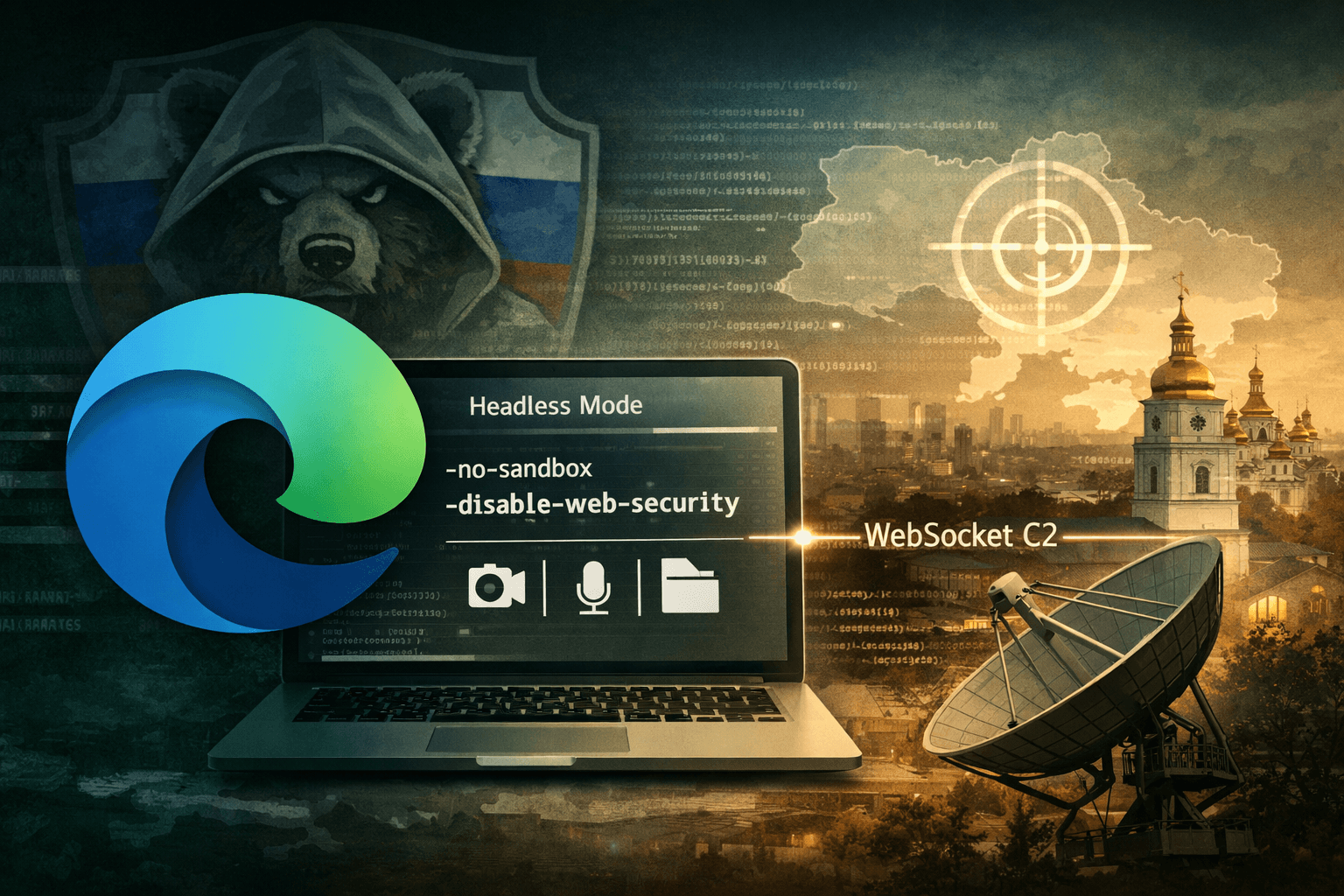
A browser you trust is now a weapon being used against you. In early 2025, threat intelligence analysts uncovered DRILLAPP, a sophisticated backdoor attributed to the Russia-linked advanced persistent threat (APT) group known as Laundry Bear, also tracked as UAC-0190 and Void Blizzard. The malware doesn't exploit a browser vulnerability — it becomes the browser, hijacking Microsoft Edge's legitimate debugging infrastructure to conduct espionage operations against Ukrainian organizations.
This technique marks a significant evolution in APT tradecraft. By abusing a trusted, signed system binary, attackers sidestep traditional endpoint detection, blend malicious traffic into normal browser activity, and gain access to sensitive resources — files, microphone, camera, and screen — without triggering conventional security alerts.
This article breaks down how DRILLAPP works, why its browser-abuse technique is so dangerous, what it means for your detection strategy, and how security teams can respond.
How DRILLAPP Infects Its Targets
LNK-Based Lure Documents
The infection chain begins with social engineering. Attackers distribute Windows shortcut (LNK) files disguised as legitimate content — Starlink installation images, charity documentation, and humanitarian aid materials tailored to resonate with Ukrainian recipients. This targeting is deliberate; the lure themes exploit the operational and humanitarian context of an active conflict zone.
When a victim opens the LNK file, it silently drops an HTML file and executes obfuscated JavaScript. The scripts fetch additional payloads from pastefy.app, a legitimate code-sharing service, making initial network traffic appear benign to security tools relying on domain reputation alone.
Edge Debugging as an Execution Environment
Once the initial payload downloads, DRILLAPP launches Microsoft Edge in headless mode — a configuration designed for automated testing and developer workflows. The malware passes a series of dangerous command-line flags:
--no-sandbox— disables Chromium's sandboxing protections--disable-web-security— removes same-origin policy enforcement--allow-file-access-from-files— grants the browser access to the local filesystem--use-fake-ui-for-media-stream— automatically approves access to camera, microphone, and screen capture without prompting the user
These flags transform Edge from a protected browsing environment into an open execution container with privileged access to system resources.
Table: DRILLAPP Command-Line Flags and Their Security Impact
| Flag | Normal Purpose | Attacker Abuse |
|---|---|---|
--no-sandbox | Debug environments | Removes process isolation |
--disable-web-security | Cross-origin dev testing | Bypasses same-origin policy |
--allow-file-access-from-files | Local file testing | Reads local files without user prompt |
--use-fake-ui-for-media-stream | Automated UI testing | Silently grants A/V and screen access |
| Headless mode | Automated browser tasks | Hides visible browser window from user |
Device Fingerprinting and Geofenced Activation
Initial Reconnaissance
Before establishing a command-and-control (C2) connection, DRILLAPP performs targeted device fingerprinting. It collects system identifiers, hardware characteristics, and network attributes to confirm it has landed on an intended target. This reconnaissance step is common in espionage-focused malware — it helps operators avoid wasting access on sandboxes, researcher machines, or unintended victims.
Time Zone Verification
A notable behavior is the malware's check for specific time zone settings consistent with Ukrainian geographies. If the time zone doesn't match expected values, DRILLAPP may abort execution entirely. This geofencing behavior serves two purposes: it confirms target relevance, and it reduces exposure to threat intelligence researchers operating outside the target region.
This selective activation is a hallmark of nation-state tooling. Unlike commodity malware that spreads indiscriminately, APT implants are engineered for precision.
WebSocket-Based Command and Control
Once the malware confirms it's on a valid target, it establishes a WebSocket connection to its C2 infrastructure. WebSocket traffic is bidirectional, persistent, and — critically — visually indistinguishable from legitimate browser-based communications. Security tools that inspect HTTP but lack deep WebSocket analysis will miss this channel entirely.
Through this C2 connection, operators gain full remote control: file exfiltration, live screen capture, audio and video recording, and arbitrary command execution — all running inside what appears to be a standard Edge browser process.
Why This Technique Is Difficult to Detect
Living Off the Land with a Trusted Binary
DRILLAPP is a Living Off the Land (LOTL) attack taken to a new extreme. Rather than dropping a custom executable, it weaponizes msedge.exe — a Microsoft-signed binary present on most modern Windows systems. Process-based detection rules that whitelist signed Microsoft binaries will not flag this activity.
Table: DRILLAPP vs. Traditional Backdoor Detection Challenges
| Detection Method | Traditional Backdoor | DRILLAPP |
|---|---|---|
| Process signature | Unknown/unsigned binary | Signed Microsoft Edge |
| Network traffic | Custom protocol / unusual ports | Standard WebSocket over HTTPS |
| File system artifacts | Drops executables | Drops HTML/JS only |
| Browser behavior | N/A | Mimics developer workflow |
| Sandbox detection | Basic evasion | Time zone / fingerprint checks |
Obfuscated Script Delivery via Legitimate Services
Fetching payloads from pastefy.app means initial network indicators — domain names, IP addresses, and certificates — all belong to a legitimate, widely used platform. Blocking this domain creates operational friction for development teams. Allowing it creates a blind spot.
Pro Tip: Monitor for unusual processes spawning browser binaries with debugging flags (
--remote-debugging-port,--no-sandbox) in production environments. These flags have no legitimate business use outside developer workstations.
WebSocket C2 Blending
Traditional C2 traffic often uses periodic HTTP beaconing with recognizable timing patterns. WebSocket connections are persistent and event-driven, making behavioral analysis far more complex. Without a dedicated network detection and response (NDR) capability with WebSocket inspection, this C2 channel is effectively invisible to most enterprise security stacks.
Mapping DRILLAPP to Security Frameworks
MITRE ATT&CK Alignment
Understanding DRILLAPP through the MITRE ATT&CK framework helps security teams prioritize detections and coverage gaps.
Table: DRILLAPP Techniques Mapped to MITRE ATT&CK
| Tactic | Technique ID | Description |
|---|---|---|
| Initial Access | T1566.001 | Spearphishing with malicious attachment (LNK) |
| Execution | T1059.007 | JavaScript execution |
| Defense Evasion | T1218 | Signed binary proxy execution (Edge) |
| Discovery | T1082 | System information discovery / fingerprinting |
| Command & Control | T1071.001 | WebSocket over HTTPS |
| Collection | T1113 / T1125 | Screen capture / video capture |
Compliance Implications
For organizations operating under GDPR, HIPAA, or ISO 27001, a successful DRILLAPP compromise represents a high-severity incident. The malware's ability to capture screen content, audio, and files means sensitive personal and organizational data is at risk of exfiltration without any traditional file-transfer artifact.
CIS Controls v8 recommends continuous monitoring of browser process behavior (Control 8) and application allowlisting (Control 2) — both directly relevant mitigations here.
Defensive Strategies for Security Teams
Endpoint Hardening
Preventing DRILLAPP's execution requires hardening at the endpoint level before the browser is ever launched with malicious flags:
- Block LNK execution from untrusted locations using AppLocker or Windows Defender Application Control (WDAC) policies
- Restrict script execution (JS, VBScript, PowerShell) from user-writable directories
- Monitor browser launch parameters for debugging flags via EDR telemetry
- Disable headless browser execution on systems where it has no legitimate purpose
- Apply email filtering with attachment sandboxing capable of detonating LNK files
Network Detection
At the network layer, detection requires visibility into encrypted WebSocket traffic:
- Deploy TLS inspection on egress traffic to enable WebSocket content analysis
- Alert on unusual browser process connections to code-sharing platforms (pastefy.app, pastebin.com, etc.) during non-business hours
- Correlate Edge process network activity with process creation logs to identify headless browser instances
Important: Standard proxy logs that record only HTTP/HTTPS domains will not provide sufficient visibility into WebSocket session content. Upgrade to NDR solutions with Layer 7 inspection capabilities.
Threat Hunting Queries
Security teams should proactively hunt for indicators consistent with DRILLAPP's execution pattern. Key queries for your SIEM or EDR:
- Process creation events where
msedge.exeis launched with--no-sandboxAND--disable-web-security - Child processes of
msedge.exemaking outbound WebSocket connections - LNK files executed from
%TEMP%,%APPDATA%, or email client directories - Outbound connections from browser processes to paste/code-sharing domains
Key Takeaways
- Treat browser debugging flags as a red flag: Legitimate enterprise environments have no reason to launch Edge with
--no-sandboxor--disable-web-securityoutside developer workstations. - Extend EDR telemetry to browser process arguments: Most endpoint solutions log process creation but not full command-line parameters — close this gap immediately.
- Don't trust signed binaries unconditionally: LOTL attacks weaponize trusted binaries; behavioral monitoring must supplement signature-based detection.
- Invest in WebSocket-capable NDR: Traditional proxy logs miss persistent WebSocket C2 channels that blend into normal browser traffic.
- Prioritize LNK file controls: Blocking LNK execution from untrusted locations disrupts the initial infection vector across multiple APT campaigns, not just DRILLAPP.
- Apply geopolitical context to threat intelligence: Campaigns targeting Ukraine frequently evolve into broader European and NATO-member targeting — treat these as early warning signals.
Conclusion
DRILLAPP represents a meaningful step forward in APT evasion tradecraft. By turning Microsoft Edge into a remotely controlled espionage implant, Laundry Bear has demonstrated that trusted system tools are now firmly within the offensive arsenal of nation-state actors. The technique is innovative precisely because it doesn't break anything — it misuses legitimate functionality in ways that most security architectures weren't designed to detect.
The good news is that these attacks leave behavioral traces. Unusual browser launch parameters, connections to paste services, and headless browser activity in production environments are all detectable — if you're looking for them. Now is the time to audit your EDR telemetry coverage, validate your WebSocket inspection capabilities, and ensure your LNK execution policies are enforced. Staying ahead of techniques like DRILLAPP requires treating browser processes with the same scrutiny you apply to any unknown executable.
Frequently Asked Questions
Q: What is DRILLAPP malware and who created it? A: DRILLAPP is a backdoor implant attributed to a Russia-linked APT group tracked under multiple names: Laundry Bear, UAC-0190, and Void Blizzard. It abuses Microsoft Edge's developer debugging mode to establish covert remote access to compromised systems, primarily targeting Ukrainian organizations.
Q: How does DRILLAPP avoid detection by antivirus and EDR tools? A: DRILLAPP uses Microsoft Edge — a legitimate, signed Microsoft binary — as its execution environment, which bypasses process-based detection rules that whitelist known-good applications. It also communicates via WebSocket over HTTPS, making its C2 traffic visually indistinguishable from normal browser activity.
Q: What command-line flags does DRILLAPP use, and why are they dangerous?
A: The malware launches Edge with flags including --no-sandbox, --disable-web-security, --allow-file-access-from-files, and --use-fake-ui-for-media-stream. Together, these remove sandboxing protections, bypass security policies, expose the local filesystem, and silently grant camera, microphone, and screen capture access without user prompts.
Q: Which organizations are most at risk from DRILLAPP? A: Current targeting focuses on Ukrainian government, military, and civil society organizations, consistent with Russian cyber-espionage priorities during the ongoing conflict. However, TTPs developed for regional campaigns frequently migrate to broader European and NATO-member targets over time, making this relevant to any organization operating in those geographies.
Q: How can security teams detect DRILLAPP activity in their environment? A: Detection requires monitoring browser process creation events for suspicious command-line parameters, deploying NDR solutions with TLS and WebSocket inspection, and alerting on browser processes connecting to code-sharing platforms like pastefy.app. Hunting for LNK file execution from temporary or email-associated directories is also an effective early-stage detection strategy.

Enjoyed this article?
Subscribe for more cybersecurity insights.