
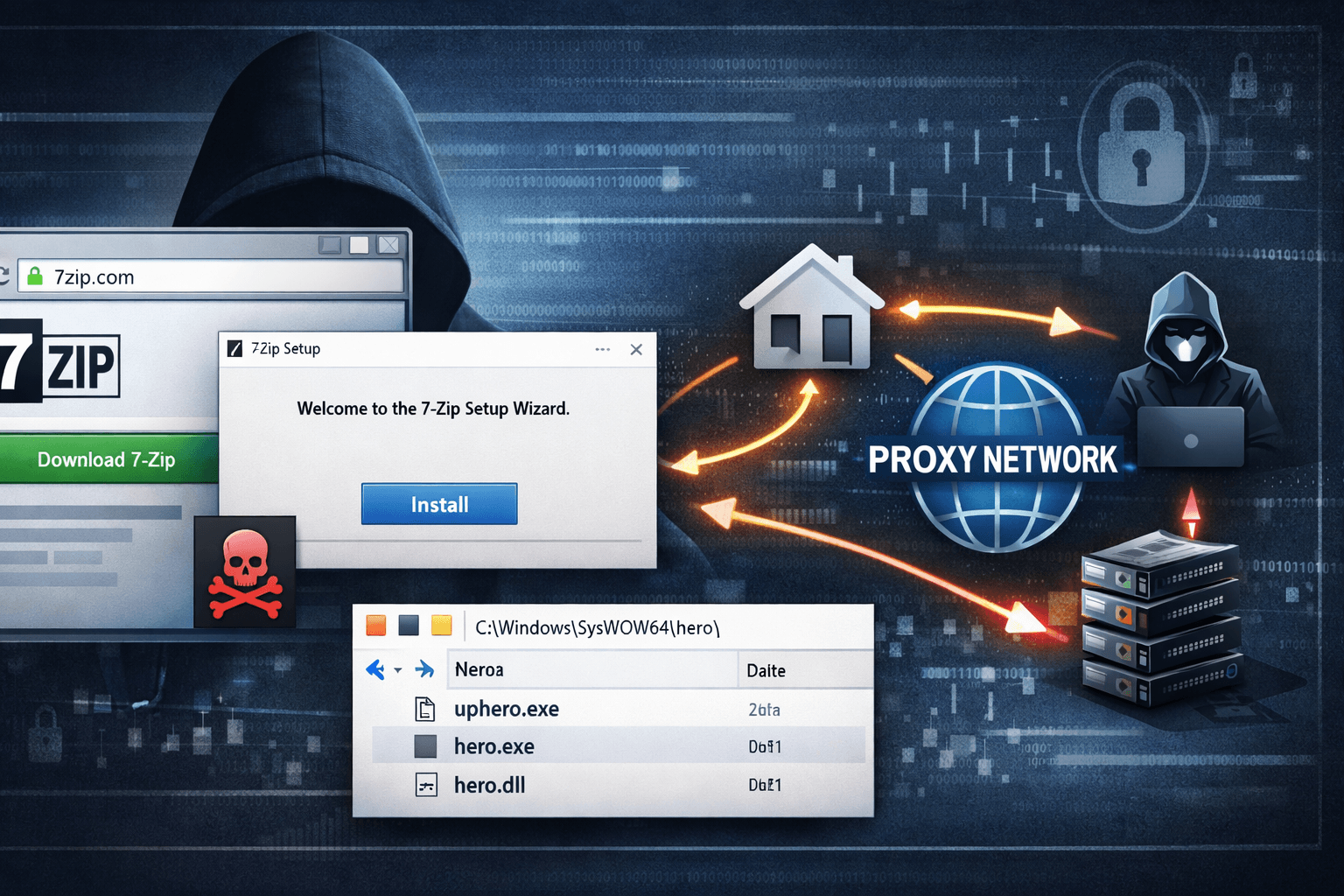
A single mistyped URL can cost you your computer's identity. In 2024, cybercriminals launched a sophisticated campaign exploiting one of the world's most trusted file compression utilities—7-Zip—to silently conscript home computers into a global proxy network used for fraud, credential stuffing, and mass web scraping. The attack doesn't require a phishing email or a vulnerable plugin. It only requires a user to land on the wrong website.
This campaign represents a sharp evolution in malware delivery: trojanized software bundles, revoked-but-plausible code-signing certificates, and infrastructure that routes criminal traffic through ordinary residential IP addresses. For IT professionals and security-conscious users alike, understanding how this attack works is the first step toward defending against it.
In this article, you'll learn how the fake 7-Zip campaign operates technically, what makes it so effective at evading detection, and what concrete steps you can take to protect your systems and users right now.
How the Fake 7-Zip Campaign Delivers Malware
The campaign begins with a deceptively simple lure: a lookalike domain. The malicious site, 7zip[.]com, mirrors the appearance of the legitimate 7-zip.org closely enough to fool users who type the URL from memory or follow an unverified link.
The Trojanized Installer Technique
Victims who download from the fake site receive a fully functional 7-Zip installer—which is precisely what makes this attack so dangerous. The software installs and operates normally, giving users no reason to suspect anything is wrong. Alongside the legitimate application, the installer silently deploys three hidden components into C:\Windows\SysWOW64\hero\:
- Uphero.exe — initial dropper and setup component
- hero.exe — the primary C2 communication and proxy agent
- hero.dll — supporting library for proxy operations
By bundling real software with the malware, attackers ensure the victim's experience feels entirely legitimate. Most users never investigate further.
Abusing Code-Signing for False Trust
The installer is signed with an Authenticode certificate issued to Jozeal Network Technology—a certificate that has since been revoked. At the time of distribution, this signature allowed the malware to pass basic security checks that many organizations and consumer antivirus tools rely on.
Important: A valid-looking digital signature is not proof of safety. Organizations should validate certificate revocation status and issuer reputation as part of any software vetting process, not just the presence of a signature.
Table: Lookalike Domain Attack Characteristics
| Attribute | Legitimate Site | Malicious Site |
|---|---|---|
| Domain | 7-zip.org | 7zip[.]com |
| Installer contents | 7-Zip only | 7-Zip + hidden malware |
| Code signing | Valid, trusted | Revoked Authenticode cert |
| File drop location | Standard program dirs | C:\Windows\SysWOW64\hero\ |
| Behavior post-install | Compression tool only | Background proxy agent |
Malware Capabilities: Persistence, Profiling, and Proxy Traffic
Once installed, the malware establishes deep persistence and begins operating as a silent node in a for-profit residential proxy network.
System-Level Persistence Mechanisms
The malware registers hero.exe and Uphero.exe as SYSTEM-level Windows services, meaning they auto-start on every boot with elevated privileges—without requiring any user interaction. This persistence mechanism is difficult to remove without explicit knowledge of the service names and file paths.
The malware also manipulates Windows Firewall rules using netsh commands, opening ports 1000 and 1002 to allow inbound and outbound proxy traffic. Standard firewall configurations that rely on default rule sets will not block this traffic.
Host Profiling and C2 Communication
Before full activation, the malware profiles the infected host, collecting:
- Hardware identifiers and CPU specifications
- Disk configuration and storage details
- Network interface data and public IP address
- System metadata transmitted to iplogger[.]org
This data helps operators qualify residential IPs for their proxy service—higher-value connections (faster speeds, clean IP reputation) command higher prices on proxy marketplaces.
Communication with command-and-control (C2) servers—including soc.hero-sms[.]co and flux.smshero[.]co—occurs over encrypted HTTPS with an additional layer of XOR encoding using key 0x70. This dual-layer obfuscation is designed to defeat basic traffic inspection tools.
Pro Tip: DNS-over-HTTPS (DoH) via Google is used to conceal DNS lookups, bypassing traditional DNS monitoring tools. Security teams should log and inspect DoH traffic or restrict DoH to approved resolvers.
The Residential Proxy Business Model
The end goal is monetization. Infected home computers route third-party traffic—web scraping bots, credential stuffing attacks, ad fraud operations, and more—through victim IP addresses. Attackers sell access to these residential proxies because home IPs are far less likely to be blocked than datacenter IPs.
Table: Residential Proxy vs. Datacenter Proxy — Risk Profile
| Factor | Residential Proxy (Malware-Based) | Datacenter Proxy |
|---|---|---|
| IP reputation | Clean (home ISP) | Often blocklisted |
| Fraud use appeal | High | Moderate |
| Victim awareness | None | N/A |
| Detection difficulty | High | Low-moderate |
| Legal exposure for victim | Potential (traffic misuse) | None |
Why This Campaign Evades Standard Security Controls
This attack is engineered to slip past the security layers most organizations and home users depend on.
Signed Binaries and Trusted-Looking Infrastructure
At time of delivery, the revoked Authenticode signature was still recognized as valid by many systems. Attackers exploited the gap between certificate issuance and revocation propagation—a window that can last hours or days. Tools that cache certificate validity status are especially vulnerable to this technique.
Encrypted and Obfuscated C2 Traffic
Standard network monitoring tools that look for plaintext indicators of compromise (IoCs) will miss this campaign entirely. The combination of HTTPS, XOR encoding, and DoH creates a traffic profile that blends with normal enterprise and home network activity.
Functional Software as Cover
Unlike malware that replaces or corrupts the target application, this campaign delivers a fully working version of 7-Zip. There is no broken functionality, no missing feature, and no error to prompt investigation. The malware runs silently in the background while the user goes about their day.
Table: Detection Evasion Techniques Used in This Campaign
| Technique | Purpose | Detection Challenge |
|---|---|---|
| Revoked code-signing cert | Bypass signature checks | Cert may appear valid initially |
| Functional software bundle | Eliminate user suspicion | No behavioral anomaly for user |
| SYSTEM-level services | Ensure persistence | Requires elevated access to remove |
| HTTPS + XOR C2 | Obfuscate communications | Defeats basic traffic inspection |
| DNS-over-HTTPS | Hide DNS queries | Bypasses standard DNS logging |
| Residential IP routing | Monetize without detection | Victim IP appears legitimate |
Detection, Response, and Mitigation
Security teams and individual users have a clear set of options for detecting, containing, and preventing this threat.
Detecting Active Infections
Microsoft Defender identifies the malware as a generic trojan. Malwarebytes detects specific variants. Any system that may have downloaded software from 7zip[.]com should be immediately scanned with updated definitions from both tools.
Analysts should also look for:
- Unexpected services in
C:\Windows\SysWOW64\hero\ - Firewall rules created by
netshthat open ports 1000 or 1002 - Outbound connections to
iplogger[.]org,soc.hero-sms[.]co, orflux.smshero[.]co - Elevated service accounts running hero.exe or Uphero.exe
Incident Response Steps
- Isolate the infected system from the network immediately
- Run a full scan with updated antivirus and anti-malware tools
- Audit Windows services for unauthorized entries in
SysWOW64\hero\ - Review and flush suspicious firewall rules via
netsh advfirewall - Check for lateral movement if the system is on a corporate network
- For severe infections or unconfirmed clean state, perform a full OS reinstall
Prevention Controls
The most effective defense against this campaign is preventing the initial download:
- Bookmark the official site (7-zip.org) and distribute the verified URL to users
- Block C2 domains at the DNS and firewall level using the IoCs above
- Verify code-signing identity by checking both the certificate issuer and revocation status before executing downloaded installers
- Enforce application allowlisting using CIS Control 2 or equivalent to prevent unauthorized executable installation
- Monitor DNS logs and restrict DNS-over-HTTPS to approved resolvers per NIST SP 800-81 guidance
Key Takeaways
- Verify domains before downloading software—bookmark official sites and confirm URLs character by character, especially for widely-used utilities
- Treat code-signing certificates as a starting point, not a final trust decision; always check revocation status and issuer legitimacy
- Monitor Windows services and firewall rules for unauthorized changes, particularly in system directories like SysWOW64
- Restrict and log DNS-over-HTTPS traffic to prevent attackers from hiding C2 communications in encrypted DNS queries
- Scan downloads immediately with updated security tools before execution, even when installers appear legitimate
- Educate end users that functional software can still be malicious—a working application is no guarantee of a clean installer
Conclusion
The fake 7-Zip campaign demonstrates how attackers continue to weaponize user trust in familiar software and overlooked attack surfaces like lookalike domains and code-signing abuse. By delivering real functionality alongside hidden malware, operators maximize the window of undetected operation—and the profitability of their residential proxy network.
The stakes extend beyond individual systems. Infected home computers become unwitting participants in fraud, scraping, and abuse operations, potentially exposing victims to legal scrutiny and eroding the integrity of residential IP reputation broadly. Security professionals must treat software download hygiene as a first-class control, not an afterthought.
Review your organization's browser bookmarks, software procurement policies, and DNS monitoring capabilities now—before a trojanized installer makes that decision for you.
Frequently Asked Questions
Q: How can I tell if my computer has been infected by this fake 7-Zip malware?
A: Look for unexpected services or files in the C:\Windows\SysWOW64\hero\ directory, and check for firewall rules that open ports 1000 or 1002. Running a full scan with updated versions of Microsoft Defender and Malwarebytes will also detect known variants of this malware.
Q: Is the official 7-Zip software safe to download and use? A: Yes. The legitimate 7-Zip application available at 7-zip.org is safe and widely trusted. The risk comes exclusively from the malicious lookalike domain 7zip[.]com—always verify you are on the correct site before downloading any software.
Q: What is a residential proxy network, and why do attackers want to use my computer for one? A: A residential proxy network routes internet traffic through real home IP addresses, making it appear as though requests originate from ordinary users rather than servers or bots. Attackers use these networks for fraud, ad click manipulation, credential stuffing, and web scraping because home IPs are far less likely to be flagged or blocked than datacenter addresses.
Q: Why didn't my antivirus catch this malware immediately? A: The malware used a revoked-but-once-valid Authenticode certificate to appear legitimate to security tools that rely on code-signing checks. Additionally, because it installs functional software, there are no broken features or user-visible errors to trigger suspicion. Detection capabilities improved after the campaign was analyzed and signature databases updated.
Q: What compliance frameworks apply if an organization's systems are compromised by this type of attack? A: Depending on your industry, multiple frameworks may apply. Under GDPR, organizations must assess whether personal data was exposed through the compromised system. HIPAA requires breach notification if protected health information was potentially accessible. PCI DSS mandates incident response and forensic investigation for any compromise touching cardholder data environments. SOC 2 Type II audits will scrutinize whether preventive controls were adequate and incident response was timely.

Enjoyed this article?
Subscribe for more cybersecurity insights.