
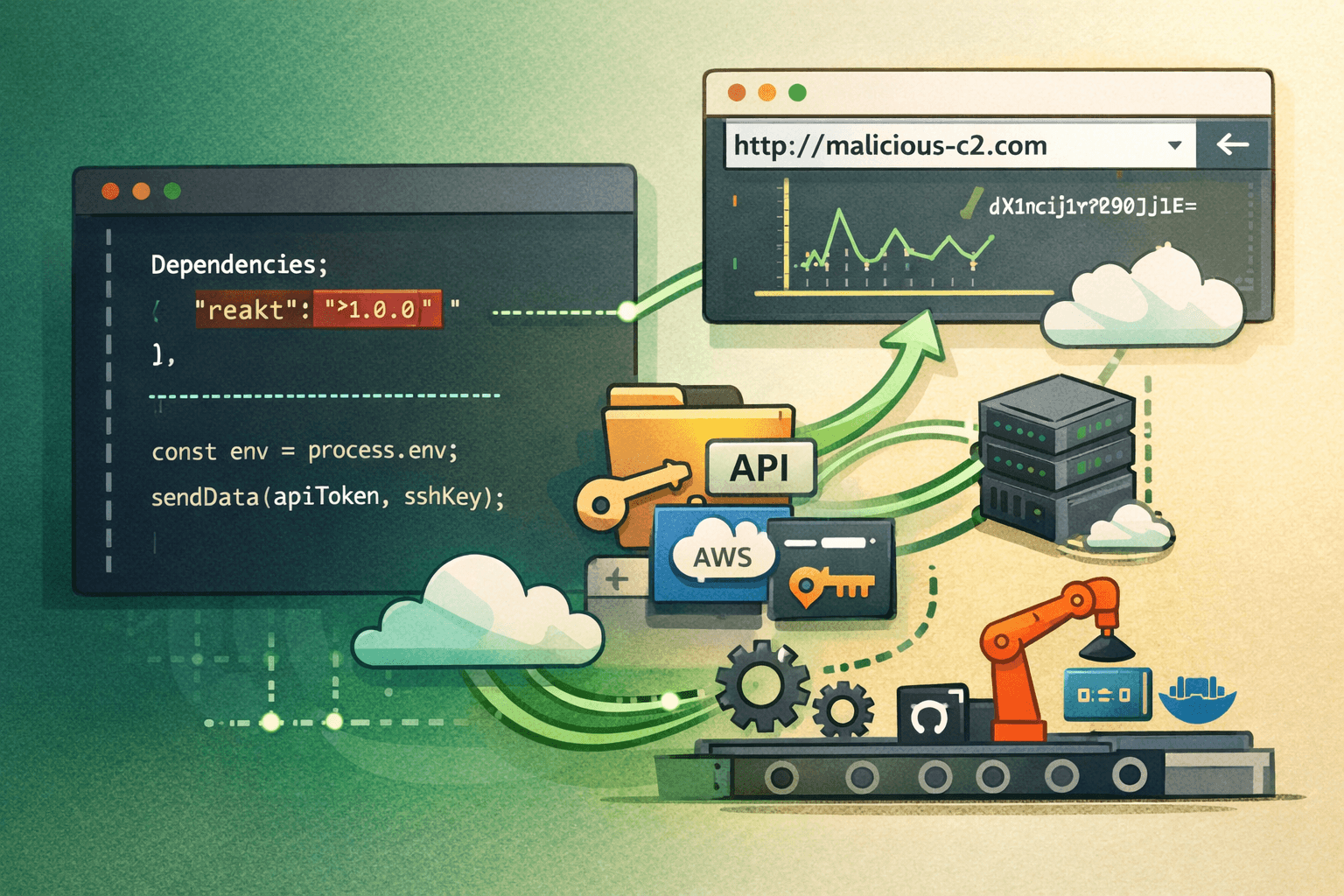
Attackers poisoned npm — the world's largest software registry — with 88 malicious packages in a single coordinated campaign. The threat actor, tracked as PhantomRaven, embedded data-stealing code inside packages that looked indistinguishable from legitimate developer tools. According to supply chain security research (2025), malicious package uploads to public registries increased by over 300% between 2023 and 2024, and campaigns like PhantomRaven represent the sharpest edge of that trend.
The goal is not simply to steal credentials. Once attackers harvest API tokens, SSH keys, and environment variables from developer workstations and CI/CD pipelines, they gain a foothold deep inside cloud infrastructure and source code repositories. The blast radius extends far beyond a single compromised machine.
This article breaks down how the PhantomRaven campaign works, what data it targets, how exfiltration operates across multiple channels, and — most importantly — what your development and AppSec teams can do right now to reduce exposure.
How the PhantomRaven npm Campaign Operates
The PhantomRaven campaign follows a well-documented but increasingly sophisticated playbook: publish packages to a trusted public registry, wait for developers to install them, and silently harvest sensitive data in the background.
Package Deployment and Typosquatting
The 88 malicious packages identified in this campaign used a combination of typosquatting and dependency confusion techniques. Typosquatting exploits common typing errors — a package named reakt instead of react, or lodahs instead of lodash. Dependency confusion attacks exploit how package managers resolve scoped versus unscoped package names across private and public registries.
Once a developer or an automated CI pipeline installs one of these packages, a postinstall script executes immediately. This script runs before the developer ever calls a single function from the package.
System Fingerprinting Before Exfiltration
Before sending any stolen data, PhantomRaven packages collect a detailed fingerprint of the victim environment. This step serves two purposes: it helps attackers prioritize high-value targets and tailor follow-on activity to the specific environment.
Collected fingerprint data includes:
- IP address and hostname
- Operating system name and version
- Node.js runtime version
- Username and home directory path
- Installed environment variables (full
process.envdump)
This fingerprinting behavior mirrors tactics documented in MITRE ATT&CK under T1082 (System Information Discovery) and T1083 (File and Directory Discovery).
Primary Targets: Secrets and Credentials
The packages do not stop at system metadata. They actively search for and exfiltrate high-value secrets stored on developer workstations and inside CI environments.
Table: Primary Data Targets in the PhantomRaven Campaign
| Data Type | Common Location | Risk Level |
|---|---|---|
| API tokens | .env files, shell profiles | Critical |
| SSH private keys | ~/.ssh/id_rsa, id_ed25519 | Critical |
| Cloud credentials | ~/.aws/credentials, ~/.config/gcloud | Critical |
| CI/CD secrets | GITHUB_TOKEN, CI_JOB_TOKEN env vars | High |
| Configuration files | package.json, .npmrc, .gitconfig | High |
| Node version details | process.version | Medium |
Exfiltration Channels and C2 Resilience
What makes PhantomRaven technically notable is not just what it steals — it is how it sends the data out. The campaign uses a multi-channel exfiltration strategy designed to survive partial blocking.
Primary Channel: HTTP GET Requests
Most exfiltration in this campaign travels over standard HTTP GET requests to attacker-controlled command-and-control (C2) infrastructure. Encoding stolen data inside GET parameters is a deliberate evasion choice. Many network monitoring tools and firewalls pay closer attention to POST body traffic than to outbound GET requests, particularly when those requests go to plausible-looking domain names.
The data travels base64-encoded inside query string parameters, making casual inspection less likely to flag the traffic as malicious.
Backup Channels: HTTP POST and WebSockets
PhantomRaven does not rely on a single exfiltration path. If HTTP GET traffic is blocked or the primary C2 domain is unreachable, the malicious packages fall back to:
- HTTP POST to alternate C2 endpoints
- WebSocket connections for persistent, low-visibility data streaming
The WebSocket fallback is particularly concerning for CI/CD environments. WebSocket traffic often passes through corporate proxies and cloud security tools without deep inspection. A long-lived WebSocket connection can exfiltrate data incrementally without generating the sudden traffic spike that would trigger anomaly detection.
Table: Exfiltration Channel Comparison
| Channel | Visibility | Evasion Effectiveness | Blocking Difficulty |
|---|---|---|---|
| HTTP GET | Low | High | Moderate |
| HTTP POST | Moderate | Moderate | Moderate |
| WebSocket | Very Low | Very High | High |
Why CI/CD Environments Are Especially Vulnerable
Continuous integration environments inject secrets automatically — that is their purpose. Environment variables like GITHUB_TOKEN, AWS_ACCESS_KEY_ID, DOCKER_PASSWORD, and NPM_TOKEN are often present in every build runner. When a malicious package installs during a pipeline run, it has immediate, automatic access to all of these secrets.
Important: CI runners often run with elevated permissions and have network egress that is less restricted than production systems. This combination makes them a preferred target for supply chain attackers.
Detection Strategies for Development and AppSec Teams
Detecting malicious npm packages requires defense across three layers: pre-installation scanning, runtime monitoring, and network-level visibility.
Pre-Installation Package Scanning
Before any package installs in your pipeline, automated scanning should evaluate it against known behavioral indicators and reputation data.
Key controls to implement:
- Run
npm auditas a mandatory CI step, but do not treat it as sufficient on its own - Use Software Composition Analysis (SCA) tools that scan for behavioral anomalies, not just known CVEs
- Enforce package allowlisting in sensitive environments — only pre-approved packages install without review
- Monitor for postinstall scripts in
package.json; legitimate packages rarely need them
Runtime Behavioral Monitoring
Static scanning will not catch zero-day malicious packages. Runtime monitoring adds a behavioral layer that can detect exfiltration even when signature-based tools miss it.
Monitor for these behaviors at runtime:
- Unexpected network calls during
npm installoryarn install - Processes spawned by Node.js that access
~/.ssh,~/.aws, or~/.config - Reads of environment variables followed immediately by outbound HTTP calls
- Postinstall scripts that execute shell commands (
child_process.exec,child_process.spawn)
Network Egress Controls for CI/CD
Restricting outbound network access from build environments is one of the most effective controls against this class of attack.
Table: Network Control Recommendations for CI/CD Pipelines
| Control | Implementation | Effectiveness |
|---|---|---|
| Allowlist outbound domains | Block all except registry and known endpoints | Very High |
| Inspect WebSocket traffic | TLS inspection at proxy layer | High |
| Alert on new outbound connections | SIEM rule for novel C2 destinations | High |
| Block DNS to unknown resolvers | Force all DNS through controlled resolver | Moderate |
| Isolate build networks | Separate VLAN/subnet for CI runners | High |
Hardening Your npm Supply Chain
Detection is necessary, but hardening your supply chain reduces the attack surface before any package ever executes.
Lock Files and Integrity Verification
Always commit lock files. A package-lock.json or yarn.lock file pins exact dependency versions and records cryptographic hashes. Without a lock file, npm install may resolve to a different — potentially malicious — package version on every run.
Additional integrity controls:
- Enable npm provenance for packages your team publishes (available since npm v9.5)
- Use
npm ciinstead ofnpm installin CI pipelines — it enforces lock file integrity - Enable Subresource Integrity (SRI) checks where applicable
- Consider a private registry mirror (such as Verdaccio or Artifactory) that proxies and caches approved packages
Secrets Management in CI/CD
Reducing the number of high-value secrets available to build runners limits the damage any single compromise can cause.
- Use short-lived tokens with automatic expiry wherever the platform supports them
- Apply the principle of least privilege — build jobs should request only the specific permissions they need, not broad administrative tokens
- Rotate credentials immediately if a potentially compromised package was installed
- Store secrets in a dedicated secrets manager (aligned with NIST SP 800-57 key management guidelines) rather than injecting them as plain environment variables
Monitoring npm Registry Activity
If your team publishes packages, monitor your own registry footprint:
- Enable npm two-factor authentication (2FA) for all maintainer accounts
- Set up alerts for new package versions or permission changes
- Review maintainer lists quarterly — attackers target account takeovers as a vector
Pro Tip: The Open Source Security Foundation (OpenSSF) Scorecard tool provides an automated security assessment of any open source package. Integrate it into your dependency review workflow to flag packages with low security scores before they enter your codebase.
Compliance and Regulatory Context
Supply chain attacks like PhantomRaven do not only create operational risk — they create regulatory and compliance exposure.
Table: Regulatory Frameworks Relevant to Supply Chain Security
| Framework | Relevant Requirement | Applicability |
|---|---|---|
| NIST SP 800-161 | Supply chain risk management controls | Federal / enterprise |
| ISO 27001 | Supplier relationship security (A.15) | Global enterprise |
| SOC 2 Type II | Vendor management, change management | SaaS providers |
| PCI DSS v4.0 | Secure software development lifecycle | Payment processors |
| GDPR | Data breach notification within 72 hours | EU data processors |
| HIPAA | Technical safeguards for ePHI | Healthcare |
A successful PhantomRaven-style compromise that exfiltrates production API tokens or database credentials could trigger mandatory breach notification requirements under GDPR and HIPAA. The reputational and financial costs of notification far exceed the cost of preventive controls.
CIS Controls v8 specifically addresses this in Control 16 (Application Software Security) and Control 2 (Inventory and Control of Software Assets) — both of which apply directly to managing third-party package dependencies.
Key Takeaways
- Audit your postinstall scripts — review any package in your dependency tree that executes code on install; this is the primary delivery mechanism in campaigns like PhantomRaven
- Restrict CI/CD network egress — allowlisting outbound domains from build runners is one of the highest-impact controls against exfiltration
- Rotate secrets immediately after any potentially malicious package installs — assume compromise, then investigate
- Use
npm ciwith committed lock files in all pipeline environments to enforce dependency integrity - Deploy runtime monitoring on build systems to detect filesystem and network anomalies during package installation
- Apply least privilege to CI tokens — scoped, short-lived tokens limit blast radius if a supply chain attack succeeds
Conclusion
The PhantomRaven campaign is a clear signal that supply chain attacks on public package registries have matured from opportunistic experiments into coordinated, resilient operations. Eighty-eight malicious packages, multi-channel exfiltration, victim fingerprinting, and CI/CD targeting all point to a threat actor with patience and technical depth.
The good news is that the defensive playbook is well-defined. Locking dependencies, restricting network egress, scanning for behavioral anomalies, and applying least privilege to CI secrets are all achievable with existing tooling. The organizations that treat software supply chain security as a first-class concern — not an afterthought — are the ones that will detect and contain campaigns like this before meaningful damage occurs.
Start with your CI/CD pipeline. Audit what packages install, what network connections they make, and what secrets they can access. That audit alone will surface more risk than most teams expect.
Frequently Asked Questions
Q: How can I tell if a malicious npm package is already installed in my project?
A: Run npm audit as a first step, but also review your package-lock.json for packages you do not recognize or that appeared without a deliberate install. Tools like Socket.dev and Snyk provide behavioral analysis beyond CVE matching and can flag packages with suspicious postinstall scripts or unexpected network activity patterns.
Q: Do lock files fully protect against dependency confusion attacks?
A: Lock files significantly reduce risk by pinning exact versions and hashes, but they do not fully eliminate dependency confusion attacks. An attacker who publishes a package with a higher version number than your internal package can still win the resolution race in some configurations. Combine lock files with a private registry mirror and explicit scope configuration in .npmrc to close this gap.
Q: Why are CI/CD environments targeted more than developer workstations?
A: CI/CD runners automatically inject production secrets — cloud credentials, deployment tokens, container registry passwords — as environment variables on every build. A single compromised package that installs during a pipeline run can access all of those secrets simultaneously, without any user interaction. Developer workstations typically hold fewer production-level credentials.
Q: What MITRE ATT&CK techniques are most relevant to this type of attack?
A: PhantomRaven-style campaigns map primarily to T1195.002 (Compromise Software Supply Chain), T1552.001 (Credentials In Files), T1082 (System Information Discovery), and T1041 (Exfiltration Over C2 Channel). Mapping your detection rules to these techniques in your SIEM helps ensure coverage against this class of threat.
Q: How quickly should I rotate credentials after discovering a potentially malicious package?
A: Rotate immediately — treat the discovery as an active incident, not a theoretical risk. Assume the package executed and exfiltrated available secrets, even if you cannot confirm it yet. Revoke and reissue all tokens and keys that were accessible in the environment where the package installed, then investigate the scope of the compromise from a position of reduced ongoing exposure.

Enjoyed this article?
Subscribe for more cybersecurity insights.