
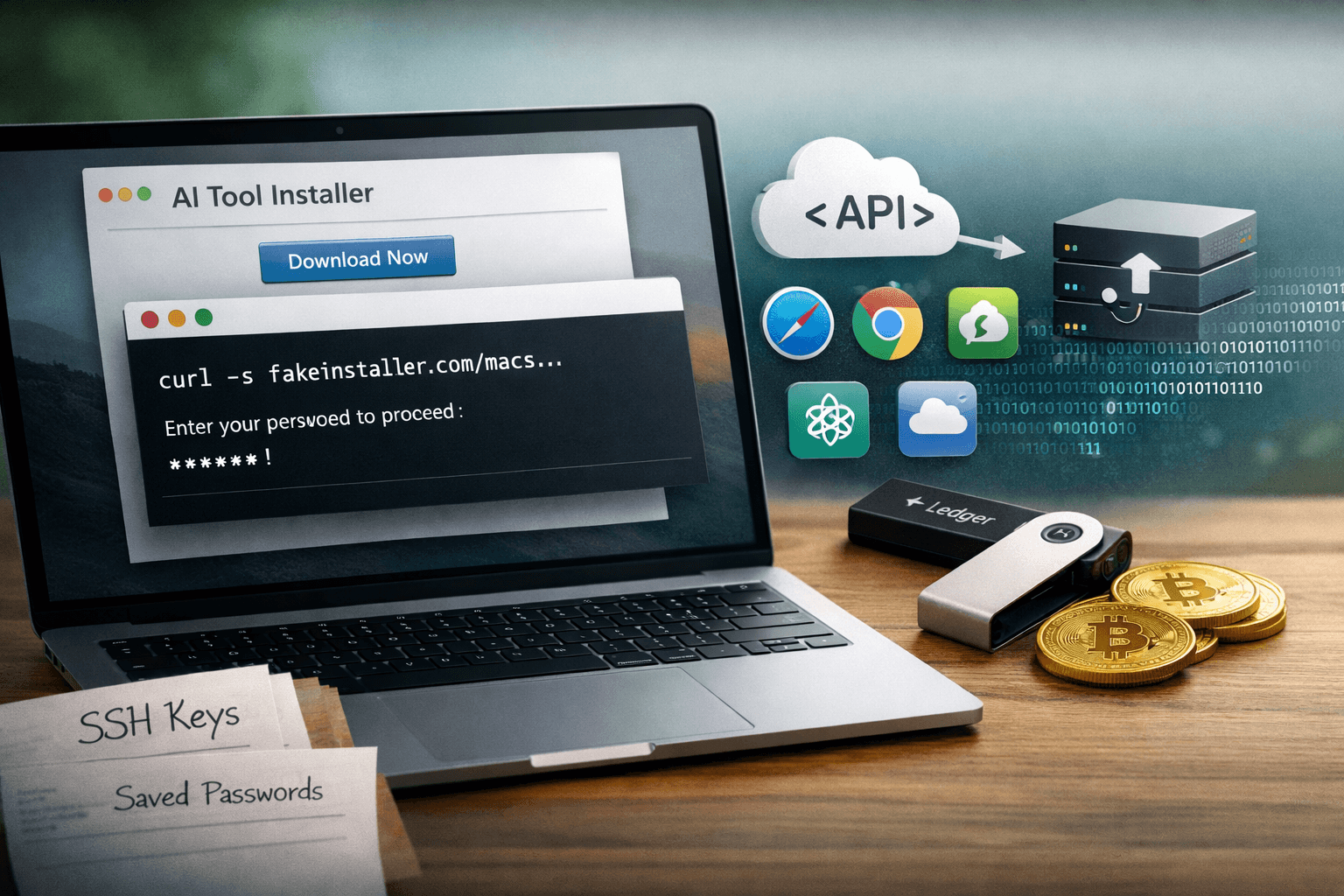
Your next software install could be the breach that empties your crypto wallet. Security researchers in 2025 have documented a significant evolution in ClickFix malvertising campaigns: attackers have moved beyond Windows targets and are now delivering sophisticated infostealers to macOS users through convincing fake installers for AI tools, developer utilities, and system optimizers. The shift is deliberate — developers and technical professionals often run terminal commands without suspicion, making them ideal targets for social engineering that bypasses traditional security controls entirely.
This campaign introduces MacSync, a new macOS-focused infostealer delivered through fake pages hosted on trusted infrastructure including Cloudflare Pages, Squarespace, and Tencent EdgeOne. Victims arrive via malicious search ads and phishing links, encounter polished instruction pages, and are guided through install flows or terminal commands that silently deploy credential-harvesting malware.
This article examines how these campaigns operate, what makes macOS users particularly vulnerable to this technique, what data is at risk, and what concrete steps you can take to protect your systems and your team.
How ClickFix Malvertising Has Evolved for macOS
ClickFix began as a Windows-focused technique where attackers presented fake browser error pages and instructed users to run PowerShell commands as a "fix." The core social engineering insight was powerful: technical users who understand the command line are more likely to comply with terminal instructions, not less.
From Windows PowerShell to macOS Terminal
The macOS adaptation replaces PowerShell with bash or zsh commands pasted directly into Terminal. The instruction pages are polished and contextually accurate — they reference real macOS behaviors, use appropriate system terminology, and present the commands as routine troubleshooting steps. A developer who has legitimately run curl | bash installation commands before won't immediately recognize the red flag.
Current lure themes observed in active campaigns include:
- Fake installers for AI coding tools (including fraudulent "Claude Code" pages)
- Browser corruption fix flows targeting Safari and Chrome users
- CleanMyMac clones and system optimization utilities
- Developer environment setup scripts mimicking legitimate toolchains
Infrastructure Designed to Evade Reputation Filters
Attackers deliberately host their instruction pages on legitimate cloud platforms to bypass domain reputation and web filtering controls:
- Cloudflare Pages — free hosting with trusted TLS certificates and CDN infrastructure
- Squarespace — legitimate website builder with established domain reputation
- Tencent EdgeOne — edge hosting platform with clean IP reputation
- Compromised legitimate websites — high-authority domains with existing trust signals
This infrastructure strategy is calculated. Your proxy's block list almost certainly allows Cloudflare Pages. Your email filter doesn't flag Squarespace links. Reputation-based controls fail here by design.
Table: ClickFix Malvertising Infrastructure and Evasion Capability
| Hosting Platform | Why Attackers Use It | Detection Difficulty |
|---|---|---|
| Cloudflare Pages | Trusted CDN, free TLS, clean reputation | High |
| Squarespace | Established domain authority | High |
| Tencent EdgeOne | Edge hosting, legitimate IPs | High |
| Compromised sites | Existing domain trust, organic traffic | Very High |
| Malicious search ads | Bypasses phishing filters, reaches active searchers | Very High |
MacSync and the macOS Infostealer Payload Chain
What MacSync Targets
MacSync is the primary payload delivered in current macOS-focused ClickFix campaigns. Unlike early macOS malware that focused on persistence and reconnaissance, MacSync is purpose-built for rapid high-value data extraction. Its targeting priorities reflect the profile of its intended victims — developers and technical professionals with access to financial assets and sensitive credentials.
MacSync specifically harvests:
- Browser data — saved passwords, cookies, autofill data, and active session tokens across Chrome, Safari, Firefox, and Brave
- Cryptocurrency wallets — Exodus, Atomic Wallet, and Ledger-associated files and seed phrase storage
- Developer credentials — SSH keys, API tokens, environment files (
.env), and cloud provider credentials - Keychain data — macOS system keychain entries including Wi-Fi passwords and application credentials
- Browser extensions — crypto wallet extensions including MetaMask and Coinbase Wallet
Related Payloads in the Same Campaign Infrastructure
Researchers have identified MacSync operating alongside several related stealers deployed through the same ClickFix infrastructure, sometimes targeting based on OS detection:
Table: Infostealer Payloads in Active ClickFix Campaigns
| Payload | Primary Target OS | Key Targets | Delivery Method |
|---|---|---|---|
| MacSync | macOS | Crypto wallets, browser data, keychains | Fake installer / terminal command |
| SHub Stealer | macOS | Browser credentials, files | DMG fake installer |
| Atomic Stealer | macOS | Crypto wallets, browser data | DMG / PKG lure |
| Alien/Remcos | Windows | Full RAT capability, credentials | PowerShell ClickFix |
| Browser extension droppers | Cross-platform | Session hijacking, crypto theft | Extension install flow |
The Speed of the Attack
A defining characteristic of modern infostealers is execution speed. MacSync completes its data collection and exfiltration routine in under 60 seconds on most systems. By the time a victim realizes something is wrong — if they ever do — their credentials, session tokens, and wallet files have already been transmitted to attacker-controlled infrastructure. There is no "catch it early" window with this class of malware.
Important: Cryptocurrency theft from infostealers is typically irreversible. Unlike compromised banking credentials where transactions may be reversed, stolen wallet seed phrases and private keys provide permanent, unrecoverable access to digital assets.
Why macOS Users Are Particularly Vulnerable
The "Secure by Default" Misconception
macOS benefits from genuine security architecture advantages — Gatekeeper, System Integrity Protection (SIP), and sandboxed application execution provide meaningful protection against many threat classes. However, these controls have a critical exception: commands the user voluntarily executes in Terminal run with the user's full permissions.
ClickFix specifically exploits this architectural reality. There is no Gatekeeper check on a bash command. There is no SIP protection when the user is the one running the script. The operating system's security model correctly assumes that if you typed the command, you intended it.
Developers as High-Value Targets
Technical professionals represent a disproportionately attractive target for this campaign type for several reasons:
- They regularly install new tools and developer utilities, normalizing unfamiliar install flows
- They commonly hold credentials for cloud infrastructure, code repositories, and production systems
- They are statistically more likely to own and actively use cryptocurrency
- They typically have higher endpoint trust levels and broader network access than general employees
Pro Tip: Apply the same scrutiny to terminal commands from unknown sources that you would to an executable file download. A
curl | bashcommand from an unfamiliar URL is equivalent to running an unsigned binary — treat it that way.
Malicious Search Ads Reach Active Intent
Traffic to these fake installer pages arrives primarily through malicious search advertisements targeting queries like "Claude Code install," "CleanMyMac download," and similar high-intent developer searches. This means victims aren't arriving through cold phishing — they're actively searching for a legitimate tool and landing on a convincing impostor at the top of their search results.
The MITRE ATT&CK framework classifies this as T1583.008 (Malvertising) under Resource Development. The implication is important: these aren't opportunistic attacks. They're resourced campaigns with ongoing advertising spend targeting specific user profiles.
Mapping the Threat to Security Frameworks and Compliance
MITRE ATT&CK Coverage
Understanding where ClickFix-MacSync campaigns fall within MITRE ATT&CK helps security teams identify detection gaps and prioritize coverage.
Table: ClickFix-MacSync MITRE ATT&CK Technique Mapping
| Tactic | Technique ID | Description |
|---|---|---|
| Initial Access | T1566.002 | Spearphishing via malicious search ad link |
| Initial Access | T1583.008 | Malvertising for traffic redirection |
| Execution | T1059.004 | Unix shell command execution via Terminal |
| Defense Evasion | T1553.001 | Gatekeeper bypass via user-executed command |
| Credential Access | T1555.003 | Credentials from web browsers |
| Credential Access | T1555.001 | Keychain credential access |
| Collection | T1560 | Archive collected data for exfiltration |
| Exfiltration | T1041 | Exfiltration over C2 channel |
Compliance Considerations
For organizations subject to SOC 2 Type II requirements, an employee infostealer compromise on a personal or corporate macOS device can trigger breach notification obligations if corporate credentials or customer data are exfiltrated. GDPR and HIPAA organizations face similar exposure when session tokens granting access to regulated data environments are stolen. PCI DSS environments must treat any credential compromise on a system with cardholder data access as a potential in-scope incident.
Defensive Strategies for macOS and Development Environments
Endpoint and Policy Controls
Protecting macOS endpoints against ClickFix-style attacks requires layered controls that address the human element alongside technical protections:
- Enforce application allowlisting for developer toolchain installs — require tools to come from approved package managers (Homebrew with verified formulae, Mac App Store) only
- Deploy macOS MDM (Mobile Device Management) to enforce Gatekeeper settings and restrict unsigned package execution
- Implement DNS filtering to block connections to known malicious infrastructure, including newly registered domains
- Enable Full Disk Access monitoring through your EDR to alert on new processes accessing sensitive directories (Keychain, wallet application data folders)
- Restrict outbound connections from Terminal and shell processes to known-good destinations using host-based firewall rules
Security Awareness for Technical Teams
Standard security awareness training often fails with developer audiences because it focuses on scenarios they consider below their skill level. Effective awareness for this threat must acknowledge that technical competence is the attack surface:
- Train developers specifically on malicious search ad identification — sponsored results for tool downloads warrant extra verification
- Establish a verified sources policy for tool installation: official GitHub releases, official websites only, with hash verification
- Conduct red team exercises that include ClickFix-style scenarios to build genuine muscle memory against terminal command social engineering
Key Takeaways
- Verify every terminal command from an external source — no legitimate software installer requires you to copy-paste commands from a webpage into Terminal
- Treat search ad results for software downloads with heightened suspicion — malvertising campaigns consistently target high-intent download queries
- Audit developer endpoints for crypto wallet applications — these are primary targets and increase individual risk exposure significantly
- Implement DNS filtering and EDR with macOS support — reputation-based web filtering alone will not block pages hosted on Cloudflare Pages or Squarespace
- Establish verified source policies for toolchain installs — package manager installs from official repositories are substantially safer than direct downloads
- Include macOS-specific infostealer scenarios in your incident response playbooks — keychain compromise and browser session token theft require different remediation steps than Windows credential events
Conclusion
ClickFix malvertising has completed a meaningful platform expansion. What began as a Windows-focused social engineering technique now operates as a cross-platform infostealer delivery system with campaigns specifically engineered for macOS developer environments. MacSync and its companion payloads are optimized for speed and financial impact — credential theft, session hijacking, and cryptocurrency wallet drainage executed before most users realize anything has happened.
The honest challenge here is that the attack exploits legitimate behavior. Developers run terminal commands. People search for software. Trusted platforms host content. Your defenses must account for adversaries who have built their entire campaign around looking indistinguishable from the real thing. Strengthen your verified-sources policy, audit your macOS EDR coverage, and ensure your development team understands that technical sophistication makes them a target — not an exception.
Frequently Asked Questions
Q: What is ClickFix malvertising and how does it work on macOS? A: ClickFix is a social engineering technique that presents users with fake instruction pages — typically posing as software installers or troubleshooting guides — and tricks them into executing malicious commands. On macOS, this means pasting commands into Terminal that deploy infostealers, bypassing Gatekeeper because the user voluntarily runs the code rather than opening an unsigned application.
Q: What data does MacSync steal from infected macOS systems? A: MacSync targets browser saved passwords, cookies, and session tokens; macOS Keychain entries; cryptocurrency wallet files and seed phrase storage from applications like Exodus and Atomic Wallet; developer credentials including SSH keys and API tokens; and browser extension data from crypto wallet extensions like MetaMask.
Q: How do attackers drive traffic to fake installer pages? A: The primary traffic source is malicious search advertisements targeting queries for popular tools like AI coding assistants, system cleaners, and developer utilities. Attackers bid on these high-intent keywords so their fake pages appear above legitimate results. Phishing links distributed via email and messaging platforms serve as a secondary delivery channel.
Q: Why doesn't Gatekeeper protect macOS users from this attack? A: Gatekeeper checks whether applications and packages are signed by known developers before allowing them to run. ClickFix bypasses this entirely by instructing users to execute shell commands directly in Terminal — commands run with the user's own permissions and are not subject to Gatekeeper validation. The security model correctly treats user-initiated terminal commands as intentional.
Q: What is the fastest way to respond if MacSync may have executed on a system? A: Immediately disconnect the system from the network to stop active exfiltration, then revoke and rotate all credentials accessible from that device — starting with cryptocurrency wallet recovery phrases (move funds to a new wallet immediately), cloud provider API keys, SSH keys, and any service whose saved passwords were in the browser. Treat all active browser session tokens as compromised and force re-authentication across all services.

Enjoyed this article?
Subscribe for more cybersecurity insights.